am0jito
Members
-
Joined
-
Last visited
Everything posted by am0jito
-
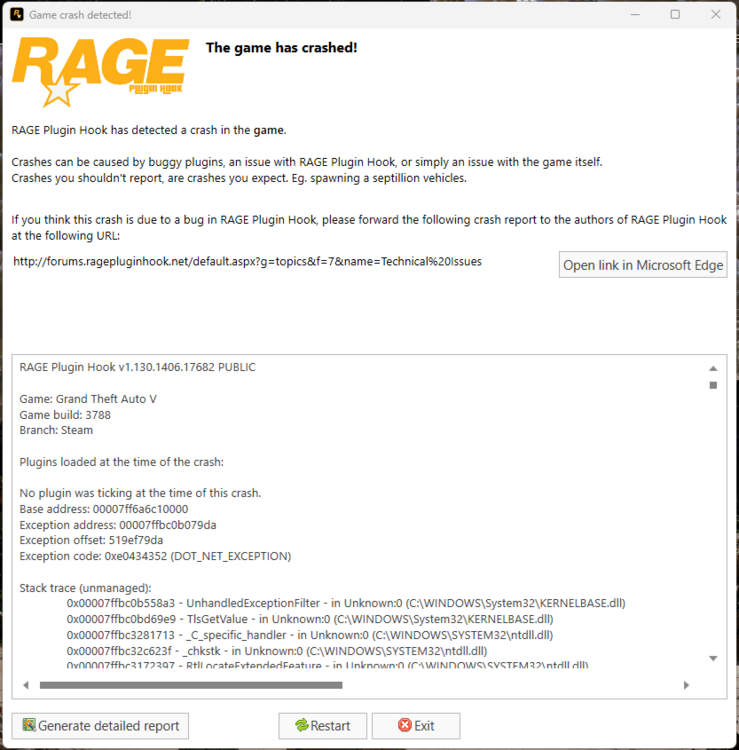
Hello everyone 👋, it's been 7-8 months since I last played LCPDFR. I installed it today to play, and after configuring lspdfr in "Configurator.exe", I launched Rage Plugin Hook. I entered the game, and then when I it F4, my game crashed immediately, followed by RPH crashing instantly as well... I've tried disabling my antivirus and even the firewall, I've given the game all permissions, and I've even set the highest privileges, but it still doesn't work. I obviously also tried reinstalling the game and verifying the files, but it didn't change anything....🥲 I don't have any mods installed; I only have lspdfr, scripthookvdotnet, and scripthookV in the game's root directory. I don't understand... If a kind soul could help me, I would be very grateful. Thank you in advance, and have a pleasant day. 🙏 Am0jito PS : I've attached the RPH crash log, along with a screenshot of the crash and my game's root directory. RagePluginHook_16042026_140508.log