



Amaymon
Members
-
Joined
-
Last visited
Everything posted by Amaymon
-
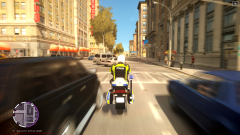
From the album: Amaymon's WIP
Whole skin made by me, it has hex reflector pattern and accurate numbering and plates for swedish MC. Model made by Kinksta100 and the MC uniform is made by MrPstromb. -
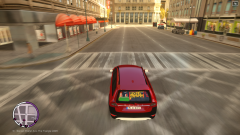
From the album: Amaymon's WIP
New numberplates and the "Polis olycka" sign in the rear is made by me (also the new colors config). Model by British Police Mods. This model will be released in the big "Ultimate Swedish pack" soon. -
The ELS doesn't look better for me, it's normal and I've used the ELS preset. What's wrong? Otherwise really good! :) I'm using EFLC 1.1.2.0 and ELS v8.
- 42 comments
- 13 reviews

