Skip to content
View in the app

A better way to browse. Learn more.

LCPDFR.com

A full-screen app on your home screen with push notifications, badges and more.

To install this app on iOS and iPadOS
  1. Tap the Share icon in Safari
  2. Scroll the menu and tap Add to Home Screen.
  3. Tap Add in the top-right corner.
To install this app on Android
  1. Tap the 3-dot menu (⋮) in the top-right corner of the browser.
  2. Tap Add to Home screen or Install app.
  3. Confirm by tapping Install.

BErad1502

Members
  • Joined

  • Last visited

Everything posted by BErad1502

  1. I love this skin. awesome details.
  2. Let me know if anyone has any problens with this skin. Incase I need to fix anything
    • 38 downloads
    • Version 1.0
    Palm Desert Police Dept. I hope you all enjoy.
  3. thank you for those who enjoy these.
  4. http://gtapolicemods.com/downloads.php?do=file&id=797
  5. Just wanted to show the 4 different skins
    • 40 downloads
    • Version 1.0
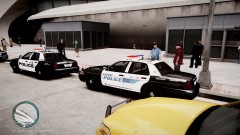
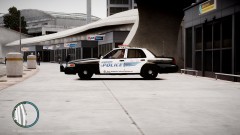
    I wanted to replicate the Whitter police schemes so I made 4 different textures. the older version has color and the newer tactical black and grey scheme is more recent. they also are contracted to patrol Santa Fe Springs along with the CHP.
  6. BErad1502 posted a gallery image in GTA IV Galleries
  7. BErad1502 posted a gallery image in GTA IV Galleries
  8. BErad1502 posted a gallery image in GTA IV Galleries
    • 59 downloads
    • Version 1.0
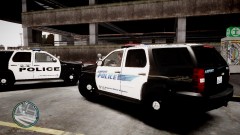
    these were made to fit Cj24's LAPD Marked Tahoe. I just wanted to put these out and share with everyone. hope you all like and enjoy
    • 104 downloads
    • Version 1.5
    K-9 Unit for Los Angeles Airport. haven't seen it out there just wanted to share mine. I have two versions of the airport police at lax.
  9. thanks a lot. I was just there a few weeks ago on leave visiting family.
    • 17 downloads
    • Version 1.0
    DUI Enforcement texture for newer impalas. enjoy.

Account

Navigation

Search

Search

Configure browser push notifications

Chrome (Android)
  1. Tap the lock icon next to the address bar.
  2. Tap Permissions → Notifications.
  3. Adjust your preference.
Chrome (Desktop)
  1. Click the padlock icon in the address bar.
  2. Select Site settings.
  3. Find Notifications and adjust your preference.