Skip to content
View in the app

A better way to browse. Learn more.

LCPDFR.com

A full-screen app on your home screen with push notifications, badges and more.

To install this app on iOS and iPadOS
  1. Tap the Share icon in Safari
  2. Scroll the menu and tap Add to Home Screen.
  3. Tap Add in the top-right corner.
To install this app on Android
  1. Tap the 3-dot menu (⋮) in the top-right corner of the browser.
  2. Tap Add to Home screen or Install app.
  3. Confirm by tapping Install.
Due to overzealous filtering on Microsoft’s side, some emails to Outlook and Hotmail addresses may not be delivered. If you’re affected, please use a different email address or try again later.

Nevi

Members
  • Joined

  • Last visited

  1. John Ramirez Responded to a [SC] Shots Fired in Maze Bank Arena, Davis Ave
  2. John Ramirez Finished responding to a ActiveShooter in La Puerta, Davis Ave
  3. John Ramirez Responded to a ActiveShooter in Rancho, Innocence Blvd
  4. John Ramirez Finished responding to a [SC] Stolen PD Vehicle in Chamberlain Hills, Strawberry Ave
  5. John Ramirez Responded to a [SC] Stolen PD Vehicle in Strawberry, Davis Ave
  6. John Ramirez Finished responding to a [SC] Stolen PD Vehicle in Rancho, Macdonald St
  7. John Ramirez Responded to a [SC] Stolen PD Vehicle in La Mesa, Little Bighorn Ave
  8. John Ramirez Finished responding to a [SC] Stolen PD Vehicle in Murrieta Heights, El Rancho Blvd
  9. John Ramirez Responded to a [SC] Stolen PD Vehicle in Mirror Park, Mirror Park Blvd
  10. John Ramirez Finished responding to a [SC] Stolen PD Vehicle in Mirror Park, Mirror Park Blvd
  11. John Ramirez Responded to a [SC] Stolen PD Vehicle in Downtown Vinewood, Vinewood Blvd
  12. John Ramirez Finished responding to a [SC] Stolen PD Vehicle in Downtown Vinewood, Vinewood Blvd
  13. John Ramirez Responded to a [SC] Stolen PD Vehicle in Vespucci Canals, San Andreas Ave
  14. John Ramirez Arrested Charlie Vendezel in Vespucci Beach, Vitus St
  15. John Ramirez Responded to a [SC] Stolen PD Vehicle in Vespucci Canals, Cortes St
  16. John Ramirez Finished responding to a [SC] Stolen PD Vehicle in Vespucci Canals, Bay City Ave
  17. John Ramirez Responded to a [SC] Stolen PD Vehicle in Vespucci Canals, South Rockford Dr
  18. John Ramirez Finished responding to a [SC] Stolen PD Vehicle in Vespucci Canals, South Rockford Dr
  19. John Ramirez Responded to a [SC] Stolen PD Vehicle in Vespucci Canals, San Andreas Ave
  20. John Ramirez Finished responding to a [SC] Car Accident2 in Vespucci Canals, San Andreas Ave
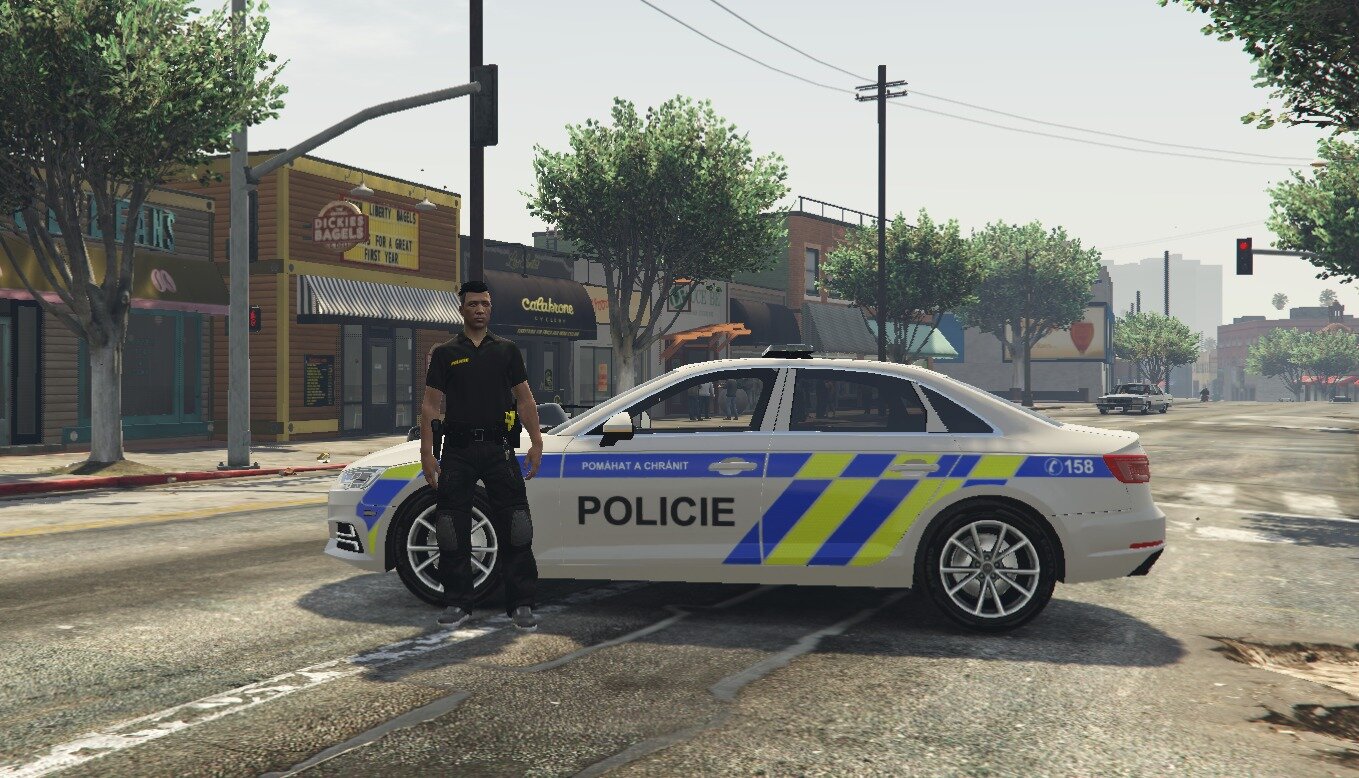
  21. Hello, Earlier today, I attempted to install Non-ELS vehicles. Correctly configured the meta files (vehicles.meta, carcols.meta, carvariations.meta), and installed the correct, community version of SSLA. However, upon spawning the vehicle, I am unable to activate the emergency lighting, instead being met with a traditional, civillian Horn sound. I have attached my SSLA log below, in case it might be helpful. I would appreciate any help in regards to this. SirenSettings.log

Account

Navigation

Search

Search

Configure browser push notifications

Chrome (Android)
  1. Tap the lock icon next to the address bar.
  2. Tap Permissions → Notifications.
  3. Adjust your preference.
Chrome (Desktop)
  1. Click the padlock icon in the address bar.
  2. Select Site settings.
  3. Find Notifications and adjust your preference.