


.png.ced1f5f64b023b96ee0f4b6c3aad370b.png)
nedra23
Members
-
Joined
-
Last visited
Everything posted by nedra23
-
-
-
-
-
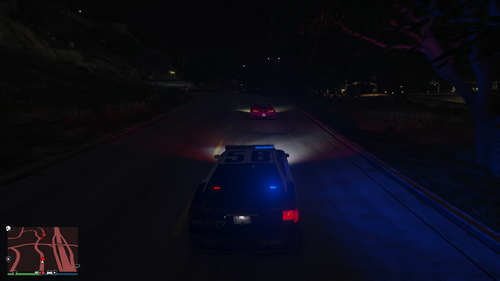 Thank you for downloading Pursuit Pack!Pursuit Pack is a callout pack focused entirely on high-quality pursuit scenarios. This version is a full rewrite of the original release, built from the ground up to improve stability, performance, and overall gameplay experience. Normal Pursuit TypesMotorcycles Scooters Armed robbery suspects fleeing Grand Theft Auto suspects Car heist Reckless driver Each scenario includes multiple variations, such as: Random vehicle models Skilled or unskilled drivers Chance of passengers spawning No two pursuits play out exactly the same. Special Pursuit TypesStolen emergency vehicle Street takeover dispersal (multiple race cars at once) Stolen semi-truck Pursuit in progress Ramming suspect Off-road vehicle pursuit Stability & OptimizationThis version includes extensive bug fixes and major code optimization. Improved performance Reduced conflicts with other callouts Greater stability Previous crash issues addressed Community & SupportJoin the official Discord server for updates, bug reporting, suggestions, and beta testing: https://discord.gg/qeTmmyN8HR If you enjoy the mod and want to support future development, you can do so here: https://ko-fi.com/nedra23 Support is completely optional, but it helps fund continued updates and new projects. FeedbackIf you enjoy the mod, consider leaving a review or comment. Feedback and suggestions are always welcome and help shape future updates. Installation:Drag and drop the Plugins folder into your GTA 5 folder
.thumb.png.f9bcf74be5b8d49c98162b2ec67476c7.png)
