Creators: Due to background reprocessing of files, approvals and file security checks may be delayed. Thanks for your patience.

DeathKnightV2
Members
-
Joined
-
Last visited
Everything posted by DeathKnightV2
-
It doesnt seem to allow me to allow ragepluginhook as an exception. Even with all the steps listed in your comment. Any other suggestions?
-
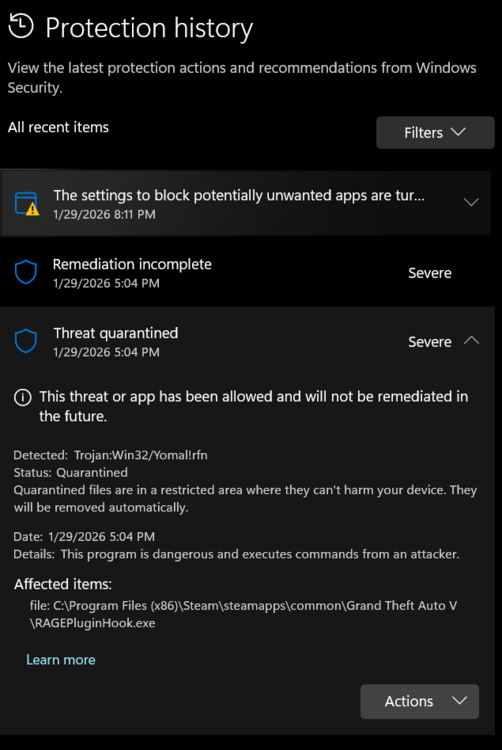
Hey yall, Updated LSPDFR files yesterday and have been playing since then with no issues at all. Just now, I tried to load the game and the smart app control (SAC) is saying that RAGEPluginHook is blocked by SAC for possibly being a Trojan. From SAC: Detected: Trojan:Win32/Yomal!rfn Afftected file: file: C:\Program Files (x86)\Steam\steamapps\common\Grand Theft Auto V\RAGEPluginHook.exe Details: This program is dangerous and executes commands from an attacker. Any advice on how to resolve this issue? Here is the activity of the smart app control