kandymann2010
Members
-
Joined
-
Last visited
Everything posted by kandymann2010
-
Hello, I need help. This morning when I loaded LSPDFR, it loaded everything just fine. When I picked a ped (hwy cop) and picked a car (FIB), I pulled a ped over and as I walked out of the cruiser I somehow was turned back into my default ped in street clothes. I pressed F4 to pick (hwy cop) again and it crashed. When I try to load LSPDFR, it crashes before loading. Can someone please help me figure this out? I have attached crash report. I really appreciate it!!! Thanks in advance! RagePluginHook crash report.txt
-
Thank you for the reply!
-
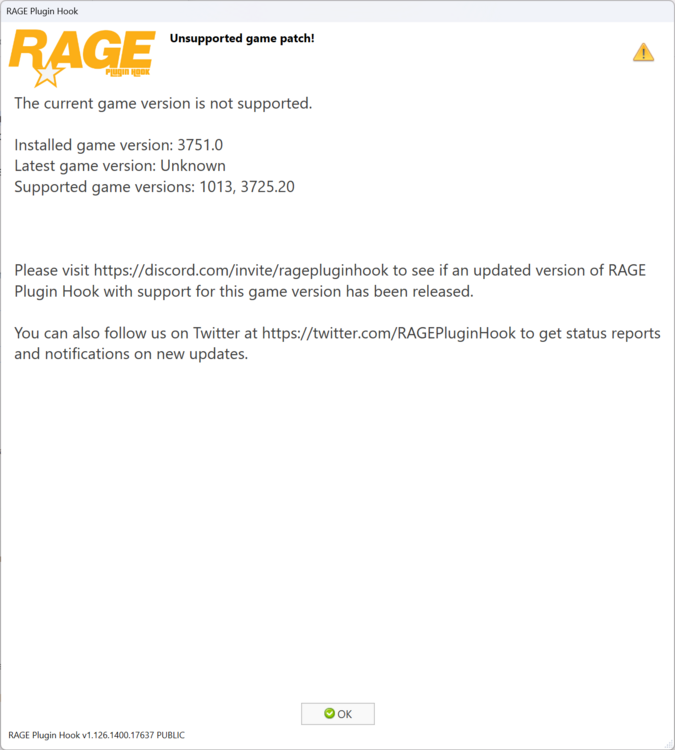
See attachment Sorry, I am a newbie to LSPDFR. I am two weeks into playing LSPDFR and I have installed the typical mods to play the game. This morning when I went to start RPH, and I immediately get the attached message. Am I going to have to wait until a new RPH update is available? I currently have the 12/17/2025 version Thank you in advance for any help associated with this matter