


zaqwe
Members
-
Joined
-
Last visited
Everything posted by zaqwe
-
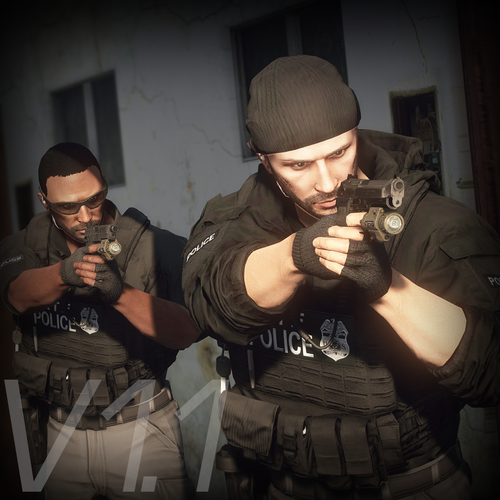 Hi! I need some help with my game. I installed the 'EUP Vest & Earpiece 1.2' mod on my game build. To be clear, I did NOT install the actual MpClothes script or addon; I only used the folders included in the vest mod's archive (like mp_m_freemode_01_mp_m_clothes_01) and placed them into eup_componentpeds.rpf via OpenIV exactly as the instructions showed. The vest and textures themselves are working fine and show up via a basic trainer, but right after installing this mod, my EUP Menu HUD completely disappeared (became invisible/transparent). I can still hear the clicking sounds when I press F11, and the plugin loads fine (turns green) in the F4 console, but the menu layout is totally gone from the screen. Could you please tell me why putting these clothing folders into EUP broke the menu HUD, and how can I bring the visual menu back without losing the vests
- 556 comments
- 47 reviews
-
 Hi! I installed the 'EUP Vest & Earpiece 1.2' mod on your build. The vest files are installed correctly—both models and textures show up fine without any bugs via a third-party trainer, so the clothing assets themselves are placed properly. However, I have a critical issue with EUP Menu (version 2.3.0). When I press F11, the plugin runs completely blind: the menu interface is invisible/transparent on the screen, but I can clearly hear the clicking sounds when navigating through options. Here is everything I have already tried to fix it: The EUPMenu.dll file is placed directly in the plugins folder (as intended in the 2.3.0 release), and the .ini config files are located inside plugins/EUP. In the F4 console, running LoadPlugin EUPMenu.dll or ReloadAllPlugins succeeds completely, turning green with no red errors at all. I updated the RAGENativeUI.dll file in the main GTA 5 directory to the absolute latest version from GitHub and made sure it's not blocked in Windows properties. I completely removed the MpClothes mod and cleared it from dlclist.xml to rule out any clothing slot conflicts. I switched the GTA 5 screen mode to 'Windowed Borderless' and verified in the RAGE Plugin Hook settings that the 'Disable DirectX Hook' option is unchecked. Despite all this, the menu UI remains invisible. Could you please let me know if your build contains a custom script, graphics mod, or screen overlay that blocks the EUP Menu DirectX rendering specifically? Or perhaps the menu coordinates in the .ini file are adjusted in a specific way for your pack?
- 2,353 comments
- 239 reviews
