Skip to content
View in the app

A better way to browse. Learn more.

LCPDFR.com

A full-screen app on your home screen with push notifications, badges and more.

To install this app on iOS and iPadOS
  1. Tap the Share icon in Safari
  2. Scroll the menu and tap Add to Home Screen.
  3. Tap Add in the top-right corner.
To install this app on Android
  1. Tap the 3-dot menu (⋮) in the top-right corner of the browser.
  2. Tap Add to Home screen or Install app.
  3. Confirm by tapping Install.

alxn

Members
  • Joined

  • Last visited

Everything posted by alxn

  1. alxn replied to alxn's topic in Legacy
    no i'm pretty sure i don't
  2. alxn replied to alxn's topic in Legacy
    It works but it removed my mods too so i changed it back and it started again :(
  3. alxn replied to alxn's topic in Legacy
    This didn't work unfortunately :(
  4. Anyone know why my game screen keeps being weird and keeps glitching and know how to fix it? I have attached a video. All help appreciated. VIDEO: https://youtu.be/gGaNh99-U_I
  5. Hey thanks for the reply, I managed to fix it. It was because one of my xml files from ELS was broken. And I fixed the console by switching to Direct11 instead of 10 on the settings in game
  6. When I am loading in the game just crashes. I have attached my log file. Any help appreciated. Thanks. RagePluginHook.log
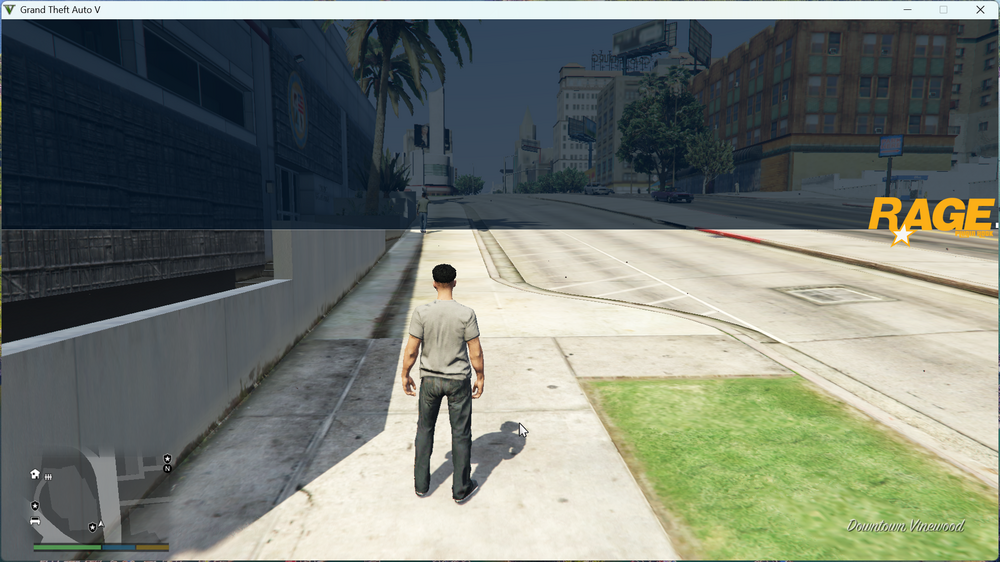
  7. Hello I am brand new to LSPDFR, can someone tell me if this is what the console is supposed to look like when I press F4? If not how do I fix this. Thanks in advance. I'm wondering why there isn't any text showing in the console and when i try to type something some grey boxes just show up
Account

Navigation

Search

Search

Configure browser push notifications

Chrome (Android)
  1. Tap the lock icon next to the address bar.
  2. Tap Permissions → Notifications.
  3. Adjust your preference.
Chrome (Desktop)
  1. Click the padlock icon in the address bar.
  2. Select Site settings.
  3. Find Notifications and adjust your preference.