



Capital XR
Members
-
Joined
-
Last visited
Files posted by Capital XR
-
XR's Fuel Plugin adds a realistic fuel system to GTA V and LSPDFR without overcomplicating gameplay. Vehicles consume fuel while driving, retain their fuel levels during your session, and can run out of fuel entirely if you're not paying attention.
Refuel at gas stations around San Andreas, monitor your fuel with a customizable HUD, and receive low-fuel warnings before you're stranded. Fuel consumption rates, vehicle class multipliers, HUD settings, and refueling options can all be adjusted through the included configuration file or the in-game settings menu.
Designed to be lightweight, configurable, and easy to install, XR's Fuel Plugin adds another layer of immersion to every patrol.
Installation Guide:
https://youtu.be/arcqtyDSeEU
Features & Fixes:
v.0.1.0
Fully customizable fuel system.
- Custom fuel usage for different vehicles (Motorcycles use less, planes use way more, bycicles use none.)
- Refuel at gas stations (They now have blips)
- Engine stall once fuel = 0%
- Speeds influence fuel usage
- Random fuel levels (50-100%) on civilian cars
- Fuel tracking system
- low fuel warning
- Many other settings in the menu or INI
v.1.0.0
Added working Jerry cans
Added aviation fuel
Fixed & added gas station locations (and their blips)
Showcase:
v.1.0.0 https://youtu.be/udvsSLsghU4
v.0.1.0: https://youtu.be/OK6efNh7IWo
Requires:
RPH
LemonUI (Special version which is included in the download)
GTA5
LSPDFR
- 1,041 Downloads
- 19 Comments
Updated -
----------------------------------------------
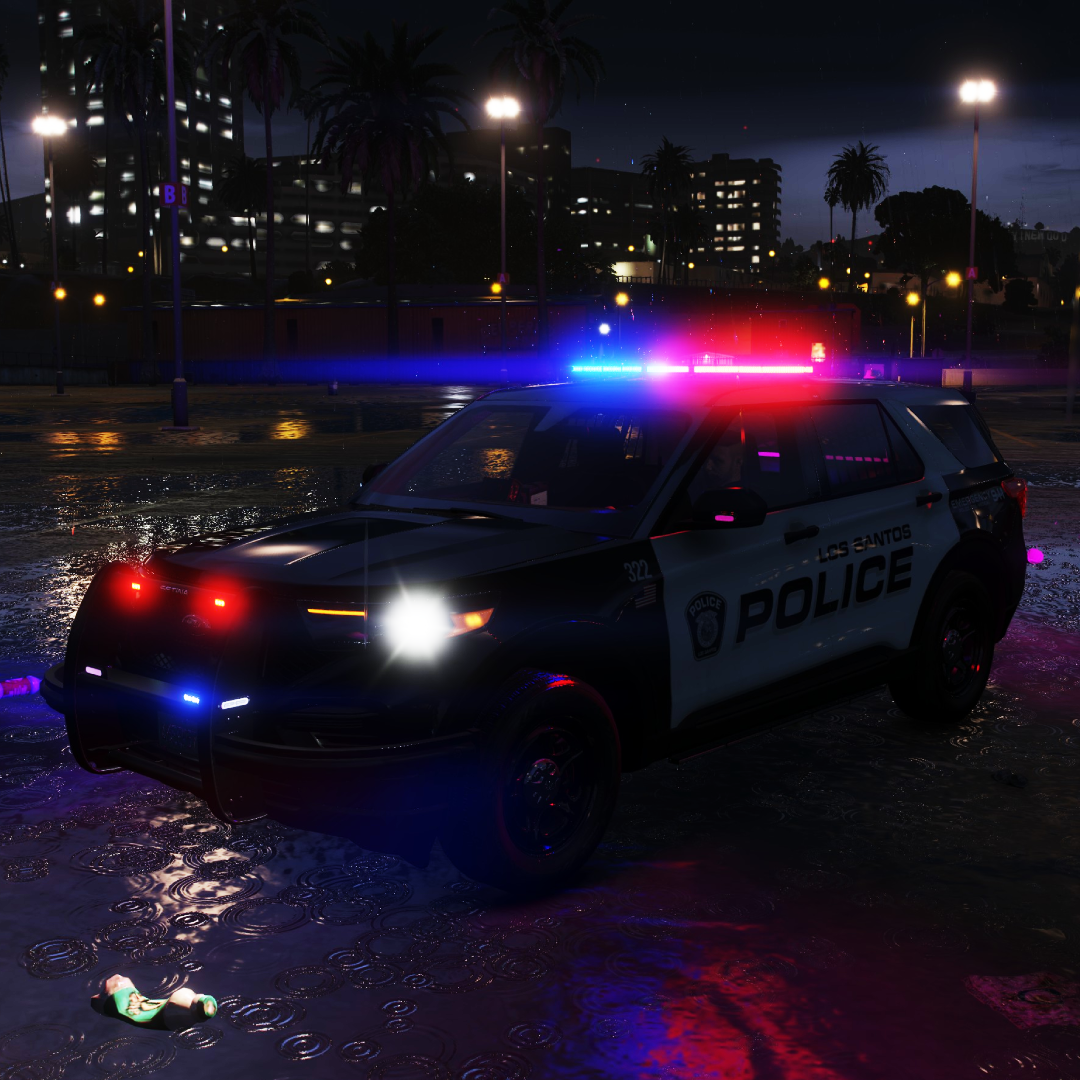
LSPD Police Livery - Livery - By CapitalXR v.1
----------------------------------------------
>>> IMPORTANT:
This livery is a custom LSPD Police style for the 2020 FPIU.
----------------------------------------------
>>> HOW TO INSTALL:
1) Open "OpenIV" and enable "Edit Mode"
2) Go to your preferred Vehicle DLC in "Grand Theft Auto V\mods\update\x64\dlcpacks"
3) Open the Vehicle DLC Folder and go to: "YourVehicleDLC\dlc.rpf\x64\vehicles.rpf\"
4) Locate your 2020 FPIU .ytd file (possibly named fpiu, 2020fpiu, fpiu2020, etc.)
5) Open the vehicle's .ytd file
6) Search for the keyword "sign" (possibly named fpiu_sign_1 or another number)
7) Repeat this for every vehicle .ytd you find for this model, including the "+hi" version
8) Rename the file included in this pack to match the original file name. DO NOT CHANGE THE FILE TYPE (keep it as .PNG). Update the number as needed (sign_1, 2, 3, etc.)
9) Drag it into the folder and click "Ok" WITHOUT changing any options.
10) Save it and launch GTA V
11) Use a mod menu (like Menyoo) or console to spawn your vehicle. You can then apply the new livery using the mod menu.
----------------------------------------------
>>> CREDITS:
- Livery: CapitalXR (myself)
- Inspiration: https://www.ford.com//police-vehicles/hybrid-utility/
----------------------------------------------- 2 Downloads
Updated -
Military Style - Mini Livery Pack - By CapitalXR #v.1
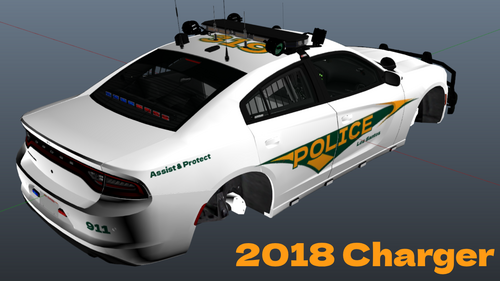
A military police inspired mini livery pack based on U.S. Army MP patrol vehicles from Fort Bragg. This pack features clean, simple, and realistic designs aimed at recreating the look of on-base law enforcement units. Designed to fit vehicles like the 2018 Charger and 2020 FPIU, it’s a great addition for players looking to enhance immersion with a subtle, authentic military-style presence in GTA V.
Disclaimer: This livery is inspired by U.S. Army Military Police (MP) patrol vehicles, specifically those used at Fort Bragg. This project is not affiliated with, endorsed by, or connected to the U.S. Army or any government agency.
How To Install:
1) Open "OpenIV" and enable "Edit Mode"
2) Go to your prefered Vehicle DLC in "Grand Theft Auto V\mods\update\x64\dlcpacks"
3) Open the Vehicle DLC Folder and go to: "YourVehicleDLC\dlc.rpf\x64\vehicles.rpf\"
4) In there you have to locate your 2018 Charger or 2020 FPIU .ytd file (Possibly named chrg, charger, 2018charger, 2020fpiu, fpiu, etc)
5) Open the vehicles's .ytd file
6) Search for the keyword "sign" (possibly named chrg_sign_1 or fpiu_sign_1 [or any other name or number])
7) Repeat this for every vehicle .ytd you find for a specific model. Including the "+hi" Version.
8) Now you must rename the file I included to match the original files name (DO NOT CHANGE THE FILE TYPE [KEEP IT A .PNG) HOWEVER you must Change the number to the next possible one (sign_1, 2, 3, 4, etc).
9) Drag it into the folder and click "Ok" WITHOUT changing any options.
10) Save it and launch GTA V
11) Use a mod menu (like Menyoo) or console to spawn in your vehicle. You can then change the livery using a mod menu.- 44 Downloads
Updated -
----------------------------------------------------
Los Santos County Sheriff Livery Pack - By CapitalXR
----------------------------------------------------
>>> IMPORTANT:
This livery was originally created for Officer Ark's LSPD pack.
However, it should work for most other vehicle models (only the ones provided, of course).
----------------------------------------------------
>>> Current Vehicles:
- 2016 FPIU
- 2021 Durango
- 2020 FPIU
- 2021 Tahoe
- 2018 Charger
----------------------------------------------------
>>> HOW TO INSTALL:
1) Open "OpenIV" and enable "Edit Mode".
2) Go to your preferred vehicle DLC in:
Grand Theft Auto V\mods\update\x64\dlcpacks
3) Open the vehicle DLC folder and go to:
YourVehicleDLC\dlc.rpf\x64\vehicles.rpf\
4) Locate your vehicle’s .ytd file
(possibly named vehiclename, vehicleyear+name, etc.).
5) Open the vehicle’s .ytd file.
6) Search for the keyword "sign"
(possibly named vehiclename_sign_1 or similar).
7) Rename the included PNG file to match the original file’s name.
DO NOT change the file type (keep it as .PNG).
However, change the number to the next available one
(sign_1, sign_2, sign_3, etc.).
8) Drag it into the folder and click "OK" without changing any options.
9) Repeat this for every vehicle .ytd file for that model,
including the "+hi" version.
(There is no +hi option in Officer Ark's pack.)
10) Save everything and launch GTA V.
11) Use a mod menu (like Menyoo) or console to spawn the vehicle.
You can then change the livery using the mod menu.
----------------------------------------------------
Download the normal version: https://www.lcpdfr.com/downloads/gta5mods/vehiclestextures/53440-los-santos-county-sheriff-livery-pack-by-capitalxr/- 139 Downloads
Updated -
----------------------------------------------------
Los Santos County Sheriff Livery Pack - By CapitalXR
----------------------------------------------------
>>> IMPORTANT:
This livery was originally created for Officer Ark's LSPD pack.
However, it should work for most other vehicle models (only the ones provided, of course).
----------------------------------------------------
>>> Current Vehicles:
- 2016 FPIU
- 2021 Durango
- 2020 FPIU
- 2021 Tahoe
- 2018 Charger
----------------------------------------------------
>>> HOW TO INSTALL:
1) Open "OpenIV" and enable "Edit Mode".
2) Go to your preferred vehicle DLC in:
Grand Theft Auto V\mods\update\x64\dlcpacks
3) Open the vehicle DLC folder and go to:
YourVehicleDLC\dlc.rpf\x64\vehicles.rpf\
4) Locate your vehicle’s .ytd file
(possibly named vehiclename, vehicleyear+name, etc.).
5) Open the vehicle’s .ytd file.
6) Search for the keyword "sign"
(possibly named vehiclename_sign_1 or similar).
7) Rename the included PNG file to match the original file’s name.
DO NOT change the file type (keep it as .PNG).
However, change the number to the next available one
(sign_1, sign_2, sign_3, etc.).
8) Drag it into the folder and click "OK" without changing any options.
9) Repeat this for every vehicle .ytd file for that model,
including the "+hi" version.
(There is no +hi option in Officer Ark's pack.)
10) Save everything and launch GTA V.
11) Use a mod menu (like Menyoo) or console to spawn the vehicle.
You can then change the livery using the mod menu.
----------------------------------------------------- 152 Downloads
Updated -
----------------------------------------------
2021 Tahoe - Police Livery by CapitalXR
----------------------------------------------
>>> IMPORTANT:
This livery has been originally created for Officer Ark's LSPD Pack featuring the 2021 Tahoe. However it should work for MOST (if not all) other 2021 Tahoe models.
----------------------------------------------
>>> HOW TO INSTALL:
1) Open "OpenIV" and enable "Edit Mode"
2) Go to your prefered Vehicle DLC in "Grand Theft Auto V\mods\update\x64\dlcpacks"
3) Open the Vehicle DLC Folder and go to: "YourVehicleDLC\dlc.rpf\x64\vehicles.rpf\"
4) In there you have to locate your 2021 Tahoe .ytd file (Possibly named tahoe, 21tahoe, 2021tahoe, 21tahoepolice, etc)
5) Open the tahoe's .ytd file
6) Search for the keyword "sign" (possibly named tahoe_sign_1 [or any other name or number])
7) Now you must rename the PNG file I included to match the original files name (DO NOT CHANGE THE FILE TYPE [KEEP IT A .PNG) HOWEVER you must Change the number to the next possible one (sign_1, 2, 3, 4, etc).
8) Drag it into the folder and click "Ok" WITHOUT changing any options.
9) Repeat this for every vehicle .ytd you find for a specific model. Including the "+hi" Version.
10) Save it and launch GTA V
11) Use a mod menu (like Menyoo) or console to spawn in your vehicle. You can then change the livery using a mod menu.
----------------------------------------------
>>> CREDITS:
- Livery: CapitalXR (myself)
----------------------------------------------
>> SHOUTOUTS:
- Shoutout to Officer Ark on LCPDFR.com for the main vehicle and template. Check out their files.
----------------------------------------------- 182 Downloads
- 5 Comments
Updated -
Updated loading screens for GTAV Story mode! This pack features 20+ police themed loading screens for different units!
HOW TO INSTALL:
1) Open OpenIV
2) Enable "Edit Mode"
3) Go to mods\update\update.rpf\x64\data\cdimages
4) Make a backup of your current "scaleform_frontend.rpf" if you want to change back to the og ones
5) Delete "scaleform_frontend.rpf"
Drag in the "scaleform_frontend.rpf" file included in this download
7) Launch the game!
---
YOU MUST NOT STEAL ANY OF MY WORK AND DISTRIBUTE IT ANYWHERE
This pack has been made on request.- 33 Downloads
Updated -
--------------------------------------
Capital XR's Police Loading Screens
--------------------------------------
Replaces GTA's default loading screens with police ones!
1) Open OpenIV
2) Enable "Edit Mode"
3) Go to mods\update\update.rpf\x64\data\cdimages
4) Make a backup of your current "scaleform_frontend.rpf" if you want to change back to the og ones
5) Delete "scaleform_frontend.rpf"
6) Drag in the "scaleform_frontend.rpf" file included in this download
7) Launch the game!
--------------------------------------
YOU MUST NOT STEAL ANY OF MY WORK AND DISTRIBUTE IT ANYWHERE
--------------------------------------- 101 Downloads
- 5 Comments
Updated -
----------------------------------------------
2018 Charger - POLIZEI Livery - By CapitalXR
----------------------------------------------
>>> IMPORTANT:
This livery has been originally created for ThePurpleBat's 2018 charger mini pack. However it should work for MOST other 2018 charger models.
----------------------------------------------
>>> HOW TO INSTALL:
1) Open "OpenIV" and enable "Edit Mode"
2) Go to your prefered Vehicle DLC in "Grand Theft Auto V\mods\update\x64\dlcpacks"
3) Open the Vehicle DLC Folder and go to: "YourVehicleDLC\dlc.rpf\x64\vehicles.rpf\"
4) In there you have to locate your 2018 Charger .ytd file (Possibly named chrg, charger, 2018charger, etc)
5) Open the charger's .ytd file
6) Search for the keyword "sign" (possibly named chrg_sign_1 [or any other name or number])
7) Now you must rename the PNG file I included to match the original files name (DO NOT CHANGE THE FILE TYPE [KEEP IT A .PNG) HOWEVER you must Change the number to the next possible one (sign_1, 2, 3, 4, etc).
8) Drag it into the folder and click "Ok" WITHOUT changing any options.
9) Repeat this for every vehicle .ytd you find for a specific model. Including the "+hi" Version.
10) Save it and launch GTA V
11) Use a mod menu (like Menyoo) or console to spawn in your vehicle. You can then change the livery using a mod menu.
----------------------------------------------
>>> CREDITS:
- Livery: CapitalXR (myself)
----------------------------------------------
>> SHOUTOUTS:
- Shoutout to ThePurpleBat on LCPDFR.com for the idea and permission to make these liveries. Check out their files.
----------------------------------------------- 53 Downloads
- 7 Comments
Updated -
----------------------------------------------
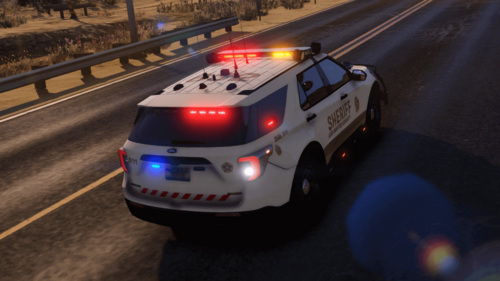
2020 FPIU - Sheriff Livery - By CapitalXR
----------------------------------------------
>>> IMPORTANT:
This livery has been created for the 2020 FPIU (2020 Ford Police Interceptor Utility). It might not work for every FPIU model, however it should work for most if notz all other 2020 Ford Police Interceptor Utility models.
----------------------------------------------
>>> HOW TO INSTALL:
1) Open "OpenIV" and enable "Edit Mode"
2) Go to your prefered Vehicle DLC in "Grand Theft Auto V\mods\update\x64\dlcpacks"
3) Open the Vehicle DLC Folder and go to: "YourVehicleDLC\dlc.rpf\x64\vehicles.rpf\"
4) In there you have to locate your 2020 FPIU .ytd file (Possibly named fpiu, 2020fpiu, 2020ford, etc)
5) Open the FPIU's .ytd file
6) Search for the keyword "sign" (possibly named fpiu_sign_1 [or any other name or number])
7) Repeat this for every vehicle .ytd you find for a specific model. Including the "+hi" Version.
8) Now you must rename the file I included to match the original files name (DO NOT CHANGE THE FILE TYPE [KEEP IT A .PNG) HOWEVER you must Change the number to the next possible one (sign_1, 2, 3, 4, etc).
9) Drag it into the folder and click "Ok" WITHOUT changing any options.
10) Save it and launch GTA V
11) Use a mod menu (like Menyoo) or console to spawn in your vehicle. You can then change the livery using a mod menu.
----------------------------------------------
>>> CREDITS:
- Livery: CapitalXR (myself)
----------------------------------------------- 60 Downloads
Updated -
----------------------------------------------
2018 Charger - Mini Livery Pack - By CapitalXR
----------------------------------------------
>>> IMPORTANT:
This livery has been originally created for ThePurpleBat's 2018 charger mini pack. However it should work for MOST other 2018 charger models.
----------------------------------------------
>>> HOW TO INSTALL:
1) Open "OpenIV" and enable "Edit Mode"
2) Go to your prefered Vehicle DLC in "Grand Theft Auto V\mods\update\x64\dlcpacks"
3) Open the Vehicle DLC Folder and go to: "YourVehicleDLC\dlc.rpf\x64\vehicles.rpf\"
4) In there you have to locate your 2018 Charger .ytd file (Possibly named chrg, charger, 2018charger, etc)
5) Open the charger's .ytd file
6) Search for the keyword "sign" (possibly named chrg_sign_1 [or any other name or number])
7) Repeat this for every vehicle .ytd you find for a specific model. Including the "+hi" Version.
8) Now you must rename the files I included to match the original files name (DO NOT CHANGE THE FILE TYPE [KEEP IT A .PNG) HOWEVER you must Change the number to the next possible one (sign_1, 2, 3, 4, etc).
9) Drag them into the folder and click "Ok" WITHOUT changing any options.
10) Save it and launch GTA V
11) Use a mod menu (like Menyoo) or console to spawn in your vehicle. You can then change the livery using a mod menu.
----------------------------------------------
>>> CREDITS:
- Livery: CapitalXR (myself)
----------------------------------------------
>> SHOUTOUTS:
- Shoutout to ThePurpleBat on LCPDFR.com for the idea and permission to make these liveries. Check out their files.
----------------------------------------------- 129 Downloads
- 2 Comments
Updated -
This is a replacement for GTA V taxi roof signs. It replaces the original taxi_signs2.dds with new designs. CapitalXR is not responsible for any issues caused. This is a replace mod, not an addon, so you must delete the old signs before installing.
When using RDE (Rebalanced Dispatch Enhanced) you must download the corresponding RDE compatible file.
When NOT using RDE or any mod changing how vehicles spawn and their textures you must download the "Vanilla - No RDE" version.
Use the "how to install" file in order to install it right.- 21 Downloads
Updated -
This ambulance livery is designed for the Los Santos Fire Department Paramedics. It features a bright yellow base inspired by real LAFD ambulances and Rockstar’s ambulance_sign_1 design. The design is lore friendly and perfect for roleplay use, combining visibility with an authentic EMS look.
IMPORTANT:
This livery was created in low quality to match the quality of the original in-game ambulance liveries.
If you prefer a high-quality version, please leave a comment on the LCPDFR website.
INSTALLATION INSTRUCTIONS:
1. Open OpenIV.
2. Enable "Edit Mode".
Uploading Attachment...
3. Navigate to:
C:\Program Files (x86)\Steam\steamapps\common\Grand Theft Auto V\mods\x64e.rpf\levels\gta5\vehicles.rpf\
4. Search for ambulance.ytd and open it.
Uploading Attachment...
5. Check how many custom ambulance liveries you already have.
If you only have:
ambulance_sign_1.dds
ambulance_sign_2.dds
ambulance_sign_3.dds
Import the file as:
ambulance_sign_4.dds
If you already have more liveries, change the number after "sign_" to the next available number to avoid duplicates.
6. In ambulance.ytd, click "IMPORT" (top left).
Select the DDS file and click "Save".
Uploading Attachment...Uploading Attachment...
7. Launch the game.
8. Spawn the AMBULANCE and select the corresponding livery number using a mod menu such as MENYOO.- 19 Downloads
Updated -
Lenco BearCat - Custom LSPD Livery - By CapitalXR
Custom LSPD livery for the Lenco BearCat made by PrimDSLR which only features a LAPD livery.
Original Vehicle Mod: CLICK HERE
How to install:
1) Install the vehicle mod:
Download: Click Here
(Follow its installation guide)
2) Replacing the liveries:
(As the riot van is not ment to have multiple liveries you can only replace it. It is not possible to have multiple.
> Start OpenIV
> Go to C:\Program Files (x86)\Steam\steamapps\common\Grand Theft Auto V\mods\update\x64\dlcpacks\patchday8ng\dlc.rpf\x64\levels\gta5\vehicles.rpf\
> Go into edit mode
> Open riot.ytd
> Search for bearcat_sign_1.dds
> Delete it
> Click on IMPORT (top left) select the NEW bearcat_sign_1.dds from the "New (LSPD)" folder provided.
> Click Save
3) Load into the game and spawn the "riot" vehicle
Takedown request information available in the file- 322 Downloads
Updated
.thumb.png.c3b9e4f9e251d182134617bd44e94af6.png)



.thumb.png.cd9981eacd1a4a76988d8645d0f1159f.png)
.thumb.jpg.e18cb805e28f19f1a758c620e64786c4.jpg)
.thumb.jpg.ea273afcf43cfe28b4cc595b91135875.jpg)
.thumb.png.6114cad5ef2d5053ba807ba8c4365816.png)
.thumb.jpg.6fdfb25ace458f3255ae0343c738dd6c.jpg)
.thumb.jpg.3bc4a46020873efbe5937698d95b32e3.jpg)