Skip to content
View in the app

A better way to browse. Learn more.

LCPDFR.com

A full-screen app on your home screen with push notifications, badges and more.

To install this app on iOS and iPadOS
  1. Tap the Share icon in Safari
  2. Scroll the menu and tap Add to Home Screen.
  3. Tap Add in the top-right corner.
To install this app on Android
  1. Tap the 3-dot menu (⋮) in the top-right corner of the browser.
  2. Tap Add to Home screen or Install app.
  3. Confirm by tapping Install.

Seraph132

Members
  • Joined

  • Last visited

Everything posted by Seraph132

  1. Already try this but don't work. If i start the game i don't have the lspd things, only basic game
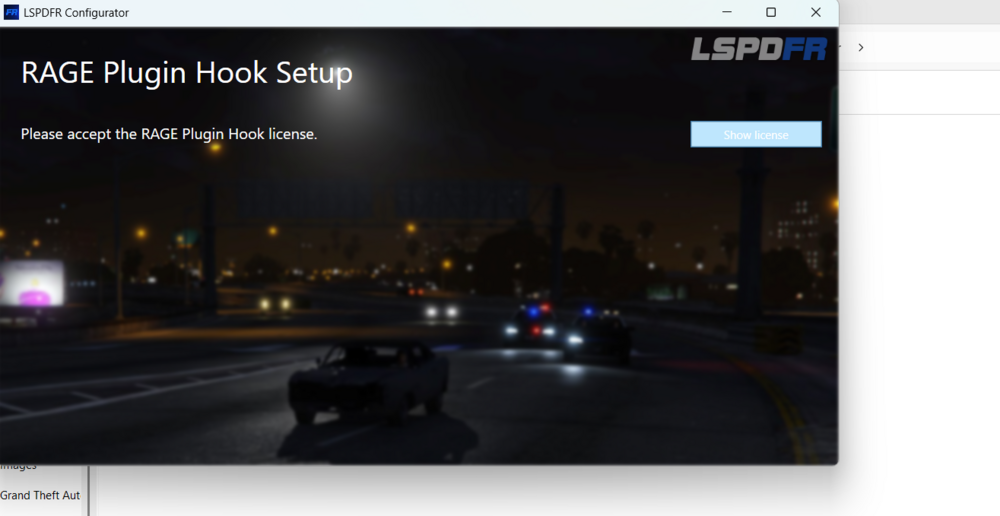
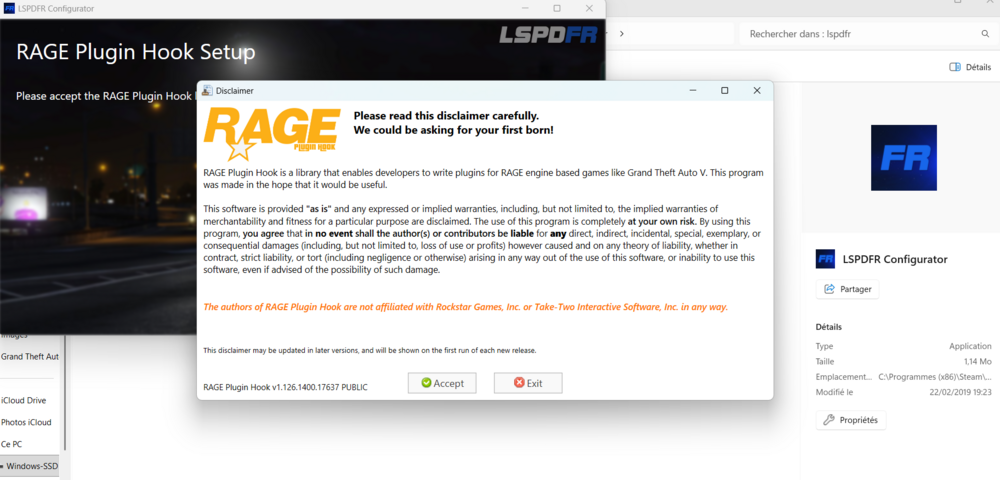
  2. Hello, I have been trying for several hours to launch the LSPD configurator. When I launch the application to configure the LSPD, it asks me to accept the RAGE HOOK license by pressing the "show license" button. Once that is done, the license page appears, and I have to wait 5 seconds before clicking "ACCEPT." When I click, the page disappears, but the configurator window does not move. The "show license" button is still grayed out, and I can't go any further. I am forced to close the page because it is stuck. Please help me as I can't manage it at all. Thank you.
Account

Navigation

Search

Search

Configure browser push notifications

Chrome (Android)
  1. Tap the lock icon next to the address bar.
  2. Tap Permissions → Notifications.
  3. Adjust your preference.
Chrome (Desktop)
  1. Click the padlock icon in the address bar.
  2. Select Site settings.
  3. Find Notifications and adjust your preference.