.png.6d9e521202fe5519465b9ca6277ea146.png)

Officer Cabaniss
Members
-
Joined
-
Last visited
Everything posted by Officer Cabaniss
-
-
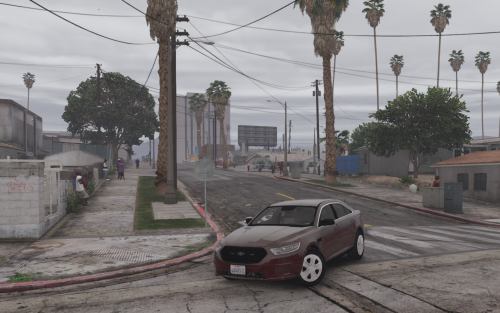 one problem ive noticed on of the take downs on the fbi vic is constantly on @Thero
- 39 comments
- 11 reviews
-
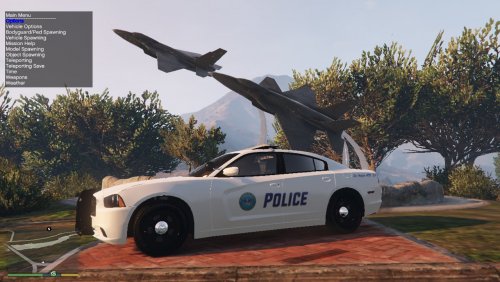 sure i dont see why not
 -
In this file you will receive 2 variants a Los Angeles version and a Los Santos version choose your poison. Based On: Optimized for: The 14 Charger in this pack.
-
Coming soon to a download page near you
-
-
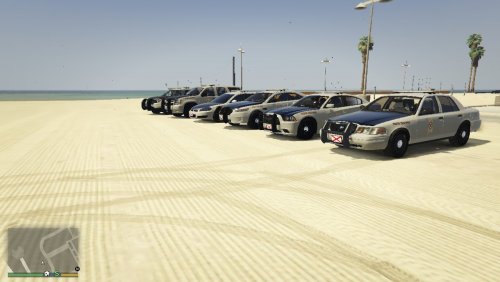 This is my first pack for GTA V based on the ALEA, comes with textures for cvpi charger, fpiu, fpis, impala, and tahoe. has 2 variants marked ALEA, and semi-marked ALEA, also known as Motor Carrier Safety Unit or a DOT cop. Optimized for BradM's BCSO Pack: For the most realism please use his all blue light textures. Known Problems: Some door decals are a little blurry when really close. Marked Charger is still a WIP blue trunk is slightly jagged on the paint.
- 2 comments
- 2 reviews
-
-

- 1
-
-
ok thank you
-
wondering if anyone has, or knows of a pack that replaces the rde vehicles with real ones
-
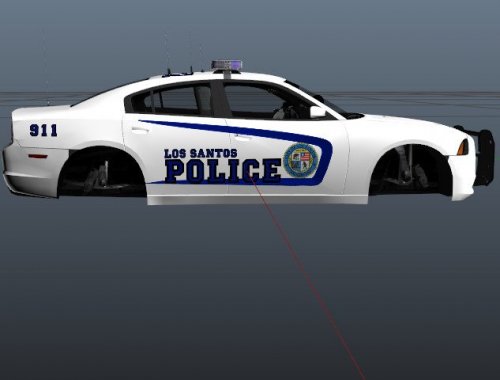 On September 12, 2017 lspd implemented a minimal graphic 2014 dodge charger built by bxbugs123
 -
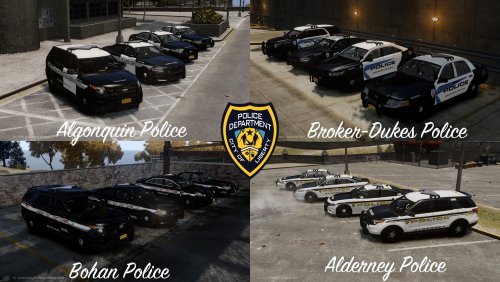 was a small problem but the correlation between numbers and areas is easy to understand so should be an easy fix, but i will not fix as i do not have this file any longer or the vehicles so i do not know where things will spawn. Dearest Regards: Officer Cabaniss
 -
first you must go and download the LCPD valor pack and install the vehicles you want (if you haven't already), then you place the files that are in the download in you scripts, once placed in the scripts folder load your game and all the different areas of liberty city will have their own police cars.
-
this is all of the liveries set up in Area Livery Mod for the LCPD Valor pack, just so you dont have to do it yourself. if you may have forgotten how to install this just place it in the scripts file in you GTA IV main directory.
-
-
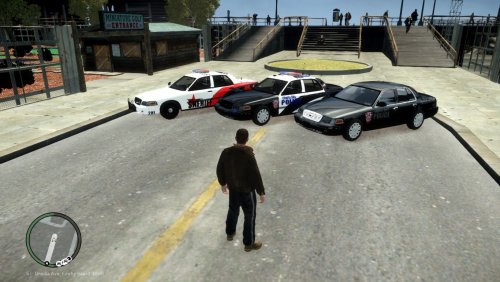 this is a fictional police pack i made took me about 2 hours minor things will be fixed and added to later updates
- 2 comments
- 2 reviews
-
-
sorry to ask like a noob but i just got back into moding gta and forgot to backup my files anyone have the replacements?? please and thank you.
-
-
2 problems the door decal is wrong and the back right and back left are suppose to say alabama department of public safety
- 7 comments
- 2 reviews
-
10/10 i had problems with the charger though, when i would drive away from it parts of it would become invisible
- 21 comments
- 6 reviews
-
-
-
-
i need some cvpi's done but i have limited images for some due to the fact there not really a popular city and county i only have two pics for the county but i do know on the back it says sheriff, and i have all you will need for the city the hummer pic is for a better look at what it looks like on the side http://www.lcpdfr.com/uploads/monthly_12_2014/post-65931-0-81498500-1419979910.pnghttp://www.lcpdfr.com/uploads/monthly_12_2014/post-65931-0-24183400-1419979912.jpghttp://www.lcpdfr.com/uploads/monthly_12_2014/post-65931-0-60403900-1419979913.jpghttp://www.lcpdfr.com/uploads/monthly_12_2014/post-65931-0-72633400-1419980158.pnghttp://www.lcpdfr.com/uploads/monthly_12_2014/post-65931-0-20903900-1419981277.jpghttp://www.lcpdfr.com/uploads/monthly_12_2014/post-65931-0-31429700-1419981420.png
-
i use paint.net too, but can you maybe link me to some fonts and things that can help out because if you check this link out it shows im not too good at it