


OzSunset
Members
-
Joined
-
Last visited
Everything posted by OzSunset
-
Then i really dont know what im doing wrong with PM
-
-
Okay, so PM is kind of "out of order" for the time being then. im glad it wasnt my mistake by doing something wrong Thanks for the help, again. Well, since everything else works im gonna go ahead and try to add ELS, and SHV and SHVDN nightly
-
i requested a call, got a pursuit one. finished the pursuit without it crashing.
-
do i need to remove all the files from OpenIV too?
-
didnt do any pursuit since renaming to _mods but before that it wasnt crashing anymore
-
neither works, no Im not really bothered by not being able to window my game its a small annoyance. Im more bothered by the insane amount of effort for this mod, i have no idea why it wont work no lspdfr doesnt crash in pursuit
-
even when i do, after i press my windows my mouse remains locked in the game so i cant even press minimise or anything
-
the game keeps my mouse locked in GTA, my f11 button doesnt remove fullscreen nor borderless window. Regarding the police menu, the game says: you tried to open police menu without it being installed properly in OpenIV. Make sure the files are in: mods/update/update.rpf/x64/data/cdimages/scaleform_generic.rpf
-
is there a way for me not having to close the game each time? bc windowed mode isnt working
-
i did that, now the game says my police menu is not installed correctly
-
game still crashed upon ped database and Y keybind features. i dont know what's up with this ill try setting "FixGameMemory" to true again with the heap, packfile limit and gameconfig and see if that's gonna fix it. it did not fix it Should i have update2.rpf in the mods file too in OpenIV? Meaning if i should copy it over using OpenIV
-
i just put the xml file into the path, yeah?
-
Not yet no, i wasnt really suspecting that was the issue since the mod page says that its for crashes in loading screen
-
it crashes but not into desktop. my game stays on and i get an lspdfr crash report in-game and after that i cannot move with my character or anything, i can only go into my menu and use my mouse and keyboard there
-
yes i did that! i made sure i did generic and not generic2, made sure i followed the path, and used the copy into "mods" folder feature that OpenIV has
-
What do you mean? I took the files, dragged and dropped them in the OpenIV, then used the OpenIV to apply the update into mods Also found another features that gives me LSPDFR error ingame, which was me using the Y keybind while trying to do a breathalizer test
-
i placed the plugin into the directory, as mentioned the police menu.dll and ini are both in lspdfr plugin folder. I also did add all the PM OpenIV files into OpenIV
-
it crashes whenever i use the ped database. it doesnt crash into my desktop however. i get an LSPDFR crash report ingame and after that i cannot move or anything. i can only enter and move my mouse while going through the menu
-
Yeah, got it. I'll try out the game now see if everything works. thanks! Alright the pursuit and request call work now, the ped database still crashes me
-
alr thanks, ill do that. so i dont need the pursuit fix with this ragenative ui?
-
didnt see any instructions so i only did the .dll, but i assume that will also go in the directory?
-
yes, i did. i put the .dll in the directory file
-
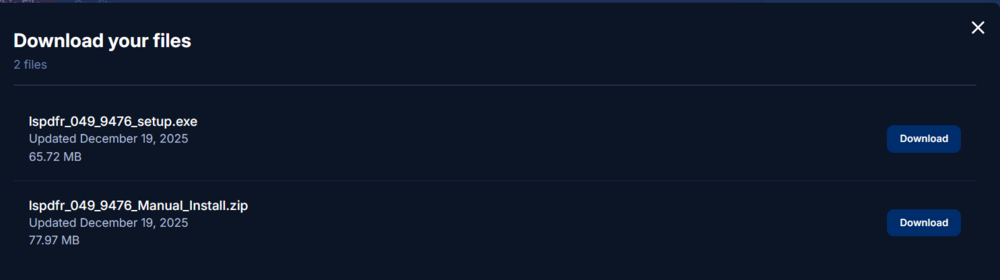
These are my options
-
I dont see the pursuit fix anywhere on here https://www.lcpdfr.com/downloads/gta5mods/g17media/7792-lspd-first-response/#



