epicjake200405
Members
-
Joined
-
Last visited
Everything posted by epicjake200405
-
Lspdfr kept crashing before, so i did a complete fresh instal of lspdfr and still getting crashes randomly on duty. Here's the log: RagePluginHook.log
-
renamed to _mods and game crashed again. New crash log: RagePluginHook.log
-
will try now
-
No, I didnt get that error the game just crashed and closed
-
I doubled all values you mentioned and after 10-15 mins game crashed. loaded up again and the same thing happened again. Heres the log: RagePluginHook.log
-
Thanks i think i found it. additionalGPUMemory=2000 My GPU has 12gb ram
-
Heap Adjuster: 750 Packfile: 7344 I couldnt find a gtav resource adjuster ini file but i have a log file for it if that helps anything. GTAV.ResourceAdjuster.log
-
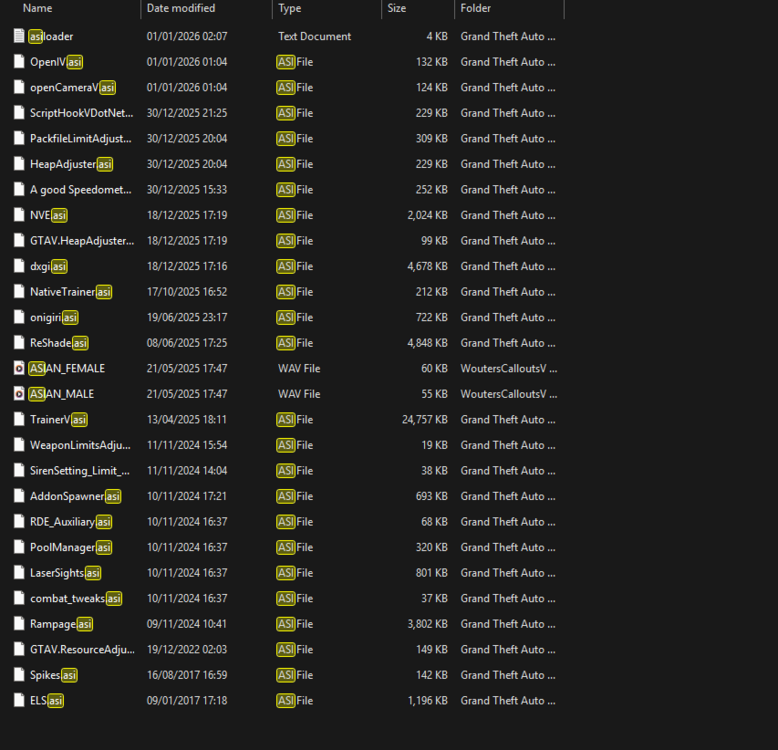
-
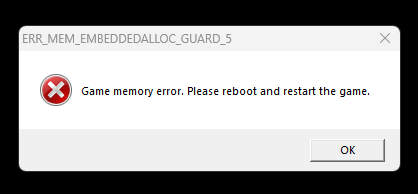
I haven't moved my gta folder before however i know how to and did that and it has fixed that issue and i can now load and play lspdfr with all my mods and plugins however i encountered this new error i haven't gotten before. it happened randomly after about 15 minutes of playing when i was driving around on duty. I have 32gb memory if that helps. Couldn't create crash log as everything froze for like 10 mins and was stuck on generating crash report
-
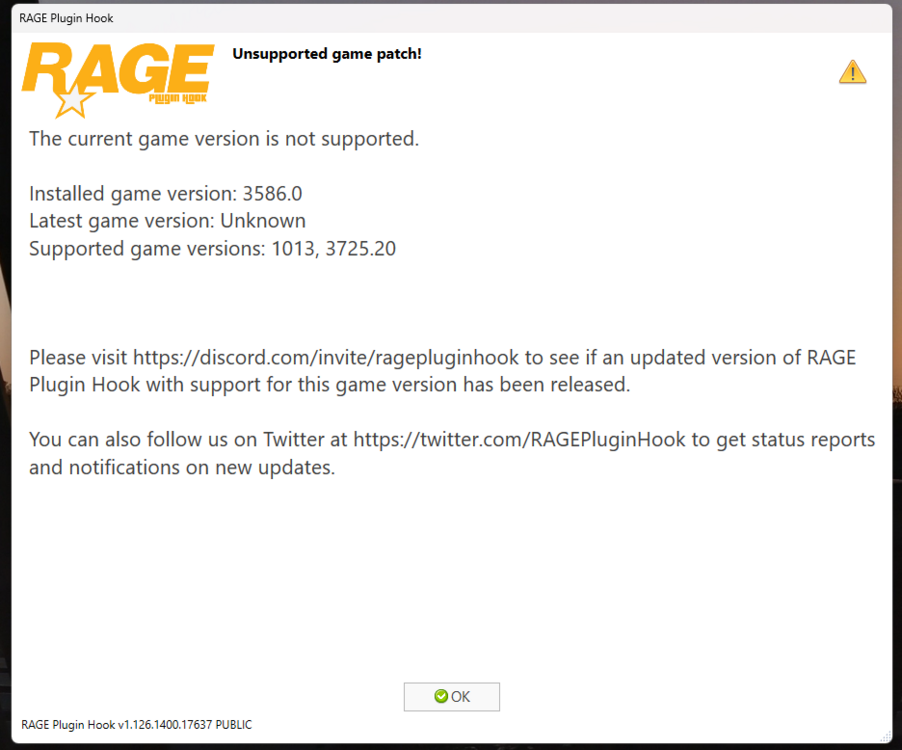
I have done what you said and when i verified my files gta5.exe did not show back up in my gta folder. i checked where my gta folder was located from steam and i got a pop up when loading rph saying gta5.exe was not found in the folder but i found a clean install was installed on another drive for some reason. i have removed it from that drive and i will install it to my drive with my modded gta folder and copy over the mods and see if it works as setting my file location on rph to the modded folder didnt work
-
i was having random crashes in game while on patrol so decided to reinstall lspdfr and got this error message. i have verified my game files on steam and when i load up gta it says build is 3725. so not sure why this is happening pls help