I want to go to sleep
Members
-
Joined
-
Last visited
Everything posted by I want to go to sleep
-
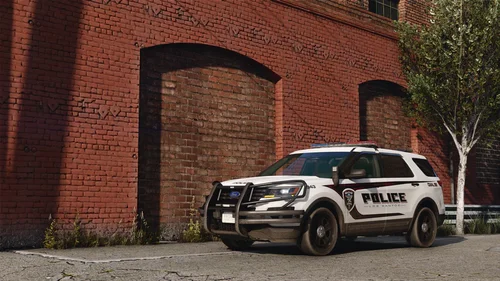 so it doesnt do it for me but im assuming that the car is repairing itself when the extras toggle
 -
i dont have that problem with it but ill retest, thanks
-
hi sorry ive been absent, you can do multiple vehicles all you have to do is copy the "[HelloWorld] ParkedExtras = 3,4 DrivingExtras = 1" and replace the hello world with the spawn name, if you have more then one extra that needs to be toggled you put the numbers that the extra is eg 1,3,4,5 do not put any spaces. hope this helps a little bit
-
hello, i made a plugin to do this for us all, https://www.lcpdfr.com/downloads/gta5mods/scripts/52839-park-pattern-script-for-ulc-non-els-cars/
-
parkpatterns.ini, you will get a car pack with ulc that is non els 90% of the time the packs are paid such as https://redsaintmods.com/shop/2025-allegiant-pack https://redsaintmods.com/shop/2024-cenator-pack https://redsaintmods.com/shop/2025-mpower-pack https://jadesignsfivem.com/en-us/products/2025-rx2700-code-3-mega-package-ulc https://jadesignsfivem.com/en-us/products/whelen-liberty-mega-package-ulc
-
so you would get a car pack that uses ulc for park and pursuit patterns which are toggled by extras, you would put the spawncodes in the ini and the park and pursuit extra numbers and when you stop your car the park pattern will start and when you drive te pursuit pattern starts
-
Thats really cool, ill look into it. ULC stands for ultimate lighting controller
-
forsome reason rage was updated and now you have to use the spawncode you cant use the hash anymore sry
-
its only for non els
-
if you go to your directory and go under ragepluginhook.exe its the txt file open that and scoll to the bottom. therre should be something that says "[12/14/2025 12:07:33 AM.367] ParkPatterns: [ParkPatterns] Vehicle model name = 0x0a261a1d" that hash is what you need
-
Hello, i made this script for lspdfr for people who use non els ulc cars. HOW IT WORKS it works using drive extras and park extras, put the files in your plugins folder and launch your game, also open your RPH log, get into a ulc car wait a couple seconds and open the log and use that hash and put in the ini file (Vehicle model name = 0x0a261a1d) for some reason spawncodes wont work its very simple so have fun