



THEWARY1
Members
-
Joined
-
Last visited
Everything posted by THEWARY1
-
 pretty cool of you to do this
 -
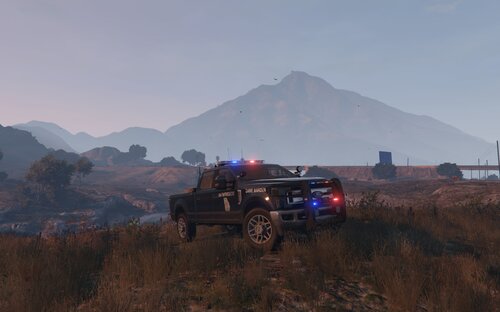 Necessity is the mother of all invention. making it available to all that want it. download the trucks here: (Thanks rip) this livery also comes with BB (blue blue) conversion files to fit with its Georgia livery (both READ ME and google are available if you need assistance) both trucks have legacy liveries in their files... new style stripe livery however, i only made for the chevy if there's enough demand ill make one for the ford or if someone wants to share their extended cab model or... a newer version ford with me ill make it for you personally
 -
thank you, i made a stupid mistake and didn't change a key conflict, changed and now it works, thanks! did not know lidargun.dll was not supposed to show up in list of plugins, but it showing up when in the gta5/plugins got me fixated and totally messed me up. for anyone having an issue with lidar HUD not popping up. if you have simple trainer mod menu, you MUST change key 103 in the .ini file of the simple trainer to 0 to resolve key conflict, or lidar HUD will not show up at all unlike the behavior of other key conflicting menus.
-
again, if placed in gta5/plugins/lspdfr lidar gun.dll doesnt show at all in the console regardless of duty status (yes i was on duty) now if a place in plugins alone it'll come up in console but receive ERROR: Could not load plugin from "C-\Program Files (x86)\Steam \steamapps \common\Grand Theft Auto V|Plugins\LidarGun.dIl". Could not load file or assembly 'LidarGun, Version=1,1.0.1, Culture=neutral, PublicKeyToken=null' or one of its dependencies. The system cannot find the file specified.
-
and if its some how relevant, prowler radar does not work for me either.
-
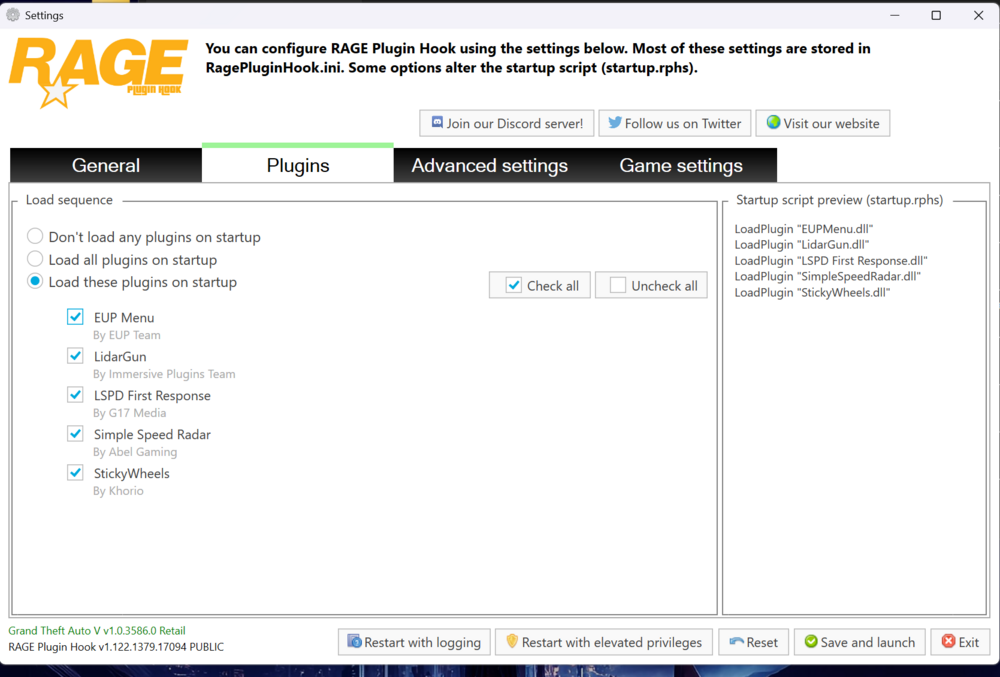
the plugin does not show in my RPH launcher or LSPDFR console when the path is gta5/plugins/lspdfr (yes, i re-tried doing that after your suggestion) here is when i have path gta5/plugins
-
Please help! pulling my hair out, lidar gun issues Been having the same issue trying to install LidarGun_1.1.0.1 & Radar Gun 2.0 shows up in my RPH launcher just fine, shows up in my console just fine, getting it to run though? fat chance ERROR: Could not load plugin from "C-\Program Files (x86)\Steam \steamapps \common\Grand Theft Auto V|Plugins\LidarGun.dIl". Could not load file or assembly 'LidarGun, Version=1,1.0.1, Culture=neutral, PublicKeyToken=null' or one of its dependencies. The system cannot find the file specified. dependencies as follows: Ragenativeui.dll July 1, 2025 IPT.common.dll Tuesday, August 12, 2025 and Microsoft Visual C+ + v14 Redistributable (x64) - 14.50.35710 things I've tried: unblocked the files tripled checked lidargun.dll, lidargun.ini & lidar gun folder were in "plugins" folder within my root ran RPH as admin

