


Creators: Due to background reprocessing of files, approvals and file security checks may be delayed. Thanks for your patience.
.png.1ff9292998c70452ddac0bd9c32184d1.png)
.png.558de73533678c8fabd5b5ef3862c9c8.png)
Chris's Modding
Members
-
Joined
-
Last visited
Everything posted by Chris's Modding
-
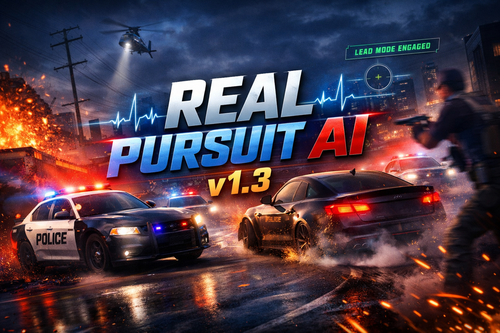 𝙈𝙋𝙊𝙍𝙏𝘼𝙉𝙏 𝙐𝙋𝘿𝘼𝙏𝙀After careful consideration the Real Pursuit AI script has now STOPPED development. I have made a new mod currently on my patreon which integrates Real Traffic AI & Real Pursuit AI into one big mod with a whole load of brand new features. So go check it out! (PLEASE NOTE A COMPATIBLITY UPDATE WILL BE AVAILABLE TOMORROW 21ST JUNE after this NO MORE UPDATES 🚫 𝙉𝙊 𝙎𝙐𝙋𝙋𝙊𝙍𝙏While the project is paused, no support will be provided for Real Pursuit AI. This includes installation help, crash reports, ScriptHookVDotNet errors, mod conflicts, GTA V build issues, or individual setup troubleshooting. The mod will remain available, but users install and use it at their own discretion. please note Real Traffic AI WILL NOT BE AVAILABLE after the 29th July, 2026 ❤️ 𝙏𝙃𝘼𝙉𝙆 𝙔𝙊𝙐Thank you to everyone who downloaded, tested, supported, and played Real Pursuit AI 🚔 ℝ𝔼𝔸𝕃 ℙ𝕌ℝ𝕊𝕌𝕀𝕋 𝔸𝕀Real Pursuit AI is a police pursuit behaviour enhancement for GTA V, designed to make pursuits feel controlled, believable, and stable — without aggressive, erratic, or chaotic AI driving. Rather than reinventing pursuits, Real Pursuit AI refines them. The mod focuses entirely on how police units behave once a chase is underway, ensuring it feels like a natural evolution of vanilla behaviour, not a disruptive overhaul. It is built from the ground up to shine during long chases and extended play sessions, while remaining fully compatible with LSPDFR. 🚀 𝕎ℍ𝔸𝕋'𝕊 ℕ𝔼𝕎: 𝕋ℍ𝔼 𝔽𝕆𝕌ℕ𝔻𝔸𝕋𝕀𝕆ℕ 𝕌ℙ𝔻𝔸𝕋𝔼This update establishes a massive new structural foundation for future expansion while introducing highly requested features: NEW - Player Lead Mode: Dynamically allows the player to influence pursuit positioning. AI units smoothly adapt to your role in real time with controlled lead reclaim behaviour—designed to feel intentional, not chaotic. Steadier Pursuits: Reduced rapid decision-switching and oscillation between aggressive and passive states. Smarter PIT Manoeuvres: Improved alignment validation and new retry cooldowns to prevent unrealistic, repeated PIT attempts. Smoother Flow: Better close-range spacing, reduced brake overcorrection, and improved pacing between primary and secondary units. 🧠 𝔻𝔼𝕊𝕀𝔾ℕ ℙℍ𝕀𝕃𝕆𝕊𝕆ℙℍ𝕐 & ℂ𝕆ℝ𝔼 𝔽𝔼𝔸𝕋𝕌ℝ𝔼𝕊Real Pursuit AI prioritises measured, realistic police conduct over spectacle-driven action. Instead of constant ramming or unstable driving, pursuit units maintain spacing, formation, and restraint. Stability First: No experimental or high-risk behaviour. Realism Over Spectacle: Grounded police tactics, not arcade chaos. Consistency Over Aggression: Predictable behaviour that holds up over long patrol sessions. Clean Integration: Designed to work perfectly alongside LSPDFR. ⚙️ 𝕋𝔼ℂℍℕ𝕀ℂ𝔸𝕃 𝔻𝔼𝕋𝔸𝕀𝕃𝕊 & ℕ𝕆𝕋𝔼𝕊Built specifically for long-session stability. Focuses exclusively on police pursuit AI behaviour (does not modify civilian traffic logic, wanted levels, police spawning, or dispatch systems). Lightweight, script-based, and performance-friendly (no configuration file required). Fully compatible with ScriptHookVDotNet v3.7.0+ and LSPDFR. Note: Extremely scripted or heavily modified mod setups may still expose edge cases. 📦 ℝ𝔼ℚ𝕌𝕀ℝ𝔼𝕄𝔼ℕ𝕋𝕊ScriptHookV: Download Here ScriptHookVDotNet (v3.7.0 or newer): Download Here ❤️ 𝕊𝕌ℙℙ𝕆ℝ𝕋 𝔻𝔼𝕍𝔼𝕃𝕆ℙ𝕄𝔼ℕ𝕋Building major foundation updates requires countless hours of writing custom AI logic, hunting down edge cases, and endlessly testing stability so you don't have to. If Real Pursuit AI has ever made you think, "Yeah, this feels way better than vanilla," please consider supporting the project on Patreon! Your support directly funds: Deep-dive development: Turning complex ideas (like Player Lead Mode) into reality. Future-proofing: Keeping the mod compatible with GTA V, LSPDFR, and ScriptHook updates. Ecosystem expansion: Fueling the ongoing development of the Real Traffic AI and Real Pursuit AI mods. If you want to help keep these mods stable, realistic, and constantly improving while getting your hands on new content first, Patreon is the best way to do it. ❤️ 👉 Patreon: https://www.patreon.com/cw/ChristianLineham (And if you don’t subscribe—that’s totally fine too. Enjoy the mod, and happy policing! 🚓)
- 74 comments
- 3 reviews
-
-

-

- 14
-
-
-
 Hi, this issue is currently being addressed with V1.7, I am working as hard as I can on this version to stop this from happening :)
- 187 comments
- 9 reviews
-
Thank you for your suggestions! As the mod progresses throughout the versions more and more features will be added. I will sure add these suggestion to V1.1 and V1.2 :)
- 187 comments
- 9 reviews
-
-
- 1
-
-
It's probably a missing code in the code I will make sure to get this fixed ready for V1.7 :) also, If your PC can handle it, I recommend using 3x traffic 3x peds density. this script smooths overall traffic flow, which can make roads appear less busy even though vehicles are still present and moving more efficiently. Increasing traffic and pedestrian density helps restore a busier visual feel while keeping traffic behaviour smooth and realistic. I personally use 3x traffic 3x peds, which balances things nicely and slightly increases overall activity without reintroducing congestion or erratic AI behaviour.
- 187 comments
- 9 reviews
-
-
- 1
-
-
Increase the lighttrafficboost to whichever you like it’ll be trial and error I will make it easier soon also change the heavytrafficlimit to your choosing as well. If it doesn’t work let me know and I’ll try fix it before the next version 😊
- 187 comments
- 9 reviews
-
-
Hi, thank you to start with and can you send a screenshot please of the error please?
- 187 comments
- 9 reviews
-
@Firefighter 3620 this is a known issue and it constantly being worked on as I update the script
- 187 comments
- 9 reviews
-
@DeSepticOasis there is likely a compatibility issue with both of these mods being used at the same time. I’ll work on an update to try and make it compatible within the next few weeks
- 187 comments
- 9 reviews
-
@JM Modifications I forgot to update the assembly information. It is V1.6 I just haven’t updated the assembly. I’ll fix this for the next version. Sorry for the inconvenience @Nightwatch iv had no issue with Clear The Way V but if you start having issues please let me know
- 187 comments
- 9 reviews
-
-
@AssyWassy This is a known behaviour that’s actively being refined. The issue has already been reduced and is continuing to improve with each update. Real Traffic AI v1.7 focuses on further reducing this behaviour, and while it will be significantly less noticeable, some underlying vanilla GTA AI behaviour may still surface in certain edge cases. Progress is ongoing, and things are moving steadily in the right direction 🙂
- 187 comments
- 9 reviews
-
Yes, I most certainly will :) it is currently in early access. I am currently fixing a compatibly issue with both scripts running but after that I will be releasing it on here :)
- 187 comments
- 9 reviews
-
-
@vantino1345 Pit fix will be included in the upcoming Project. Version 1.0 will not include it because that will take some more time in the coding. But the pursuits are a lot better and not smashing everything in their path
- 187 comments
- 9 reviews
-
-
- 1
-
-
@mitchell66 do you have the latest version of Script Hook V Dot Net. Minimum is ScriptHookVDotNet-v3.7.0-nightly.84 and Script Hook V latest V3725? If you do send your crash log and ill be happy for look into this for you @JM Modifications Thank You :)
- 187 comments
- 9 reviews
-
@JTSBR1 Your most welcome. This version is buggy because I somehow manage to break ELS compatibility but fixed in V1.6 which will be released very soon :)
- 187 comments
- 9 reviews
-
@0pheIia @dillon1992 I have somewhat fixed the code with V1.6 and should no longer slam on their breaks this will be released soon. It is just currently in my early access to make sure there are no bugs before releasing it on here :)
- 187 comments
- 9 reviews
-
-
-

- 3
-
-
its a rockstar limitation. If i change the code to go over they start crashing in to each other blowing themselves up etc etc. I would have to change all of the handling metas by hand and that would take me to long to do. Until i have time off work to do this. This limitation will unfortunately have to stay this way @Godlike1 I can fix this issue properly in the next version of V1.6 as long as i get it exactly correct to that the issue quoted doesn't happen
- 187 comments
- 9 reviews
-
Have you got the latest version of Script Hook V Dot Net (Version ScriptHookVDotNet-v3.7.0-nightly.84) as this has been updated to match this version and later versions. Older versions are depreciated and won't work with this mod.
- 187 comments
- 9 reviews
-
@malikhagen The Backup Pursuit Behaviour is actually a good shout. I was originally planning on implementing it into this project but and i tried it but it just messed up the other AI so I scrapped the idea. But I will make a new project for this though very soon :) Happy New Year to you! And it shouldn't be to hard to do hopefully. I will work on Better Pursuits very soon! Thanks for the suggestion made me remember about it :) Happy New Year to you!
- 187 comments
- 9 reviews
-
-
- 1
-
-
@Gamerjp570 Thank you for your feedback. The root cause is currently ELS i am currently updating the code as we speak to make it more compatible with ELS as i kept forgetting to do this. I am more compatibility with more and more mods as this script progressives through the versions. And a Happy New Years to you too :)
- 187 comments
- 9 reviews
-
-
- 1
-
-
@TheTechSupportDude thank you for your feedback I will make sure i will do this next time :)
- 187 comments
- 9 reviews
-
-
- 1
-
-
@J.J Designs I am fixing this bug immediately. I screwed up the code that is why the AI is slamming on their brakes
- 187 comments
- 9 reviews
-
-
- 2
-
.thumb.png.02eacfc2f691c4fc29d82cedc8863159.png)
