Skip to content
View in the app

A better way to browse. Learn more.

LCPDFR.com

A full-screen app on your home screen with push notifications, badges and more.

To install this app on iOS and iPadOS
  1. Tap the Share icon in Safari
  2. Scroll the menu and tap Add to Home Screen.
  3. Tap Add in the top-right corner.
To install this app on Android
  1. Tap the 3-dot menu (⋮) in the top-right corner of the browser.
  2. Tap Add to Home screen or Install app.
  3. Confirm by tapping Install.

Aaknes

Members
  • Joined

  • Last visited

  1. This post can be locked. Fixed my problem. issue was in my rph menu (unticked the : keep multiplayer veh in singleplayer).
  2. No 1 that can help me??
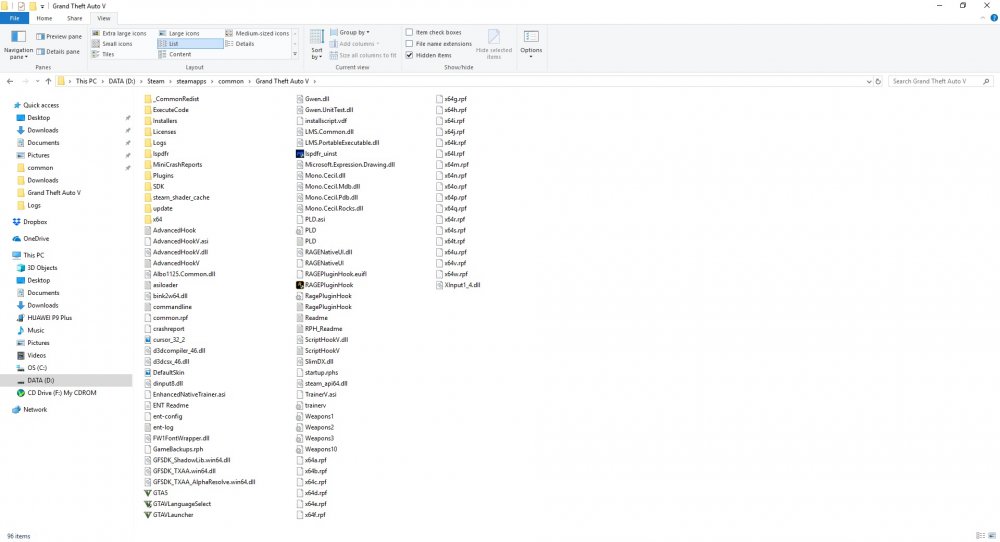
  3. Hi Ive got me a problem trying to load up Rph and lspdfr. ive tried allmost everything hopin u guys could help me with the rest that i dont know;) (dont know what the hell im looking at in the .log) I dont have any plugins/scripts yet, just trying to get the basic going first. Give me a headsup and ill try to come back asap. ps: ive been playing lcpdfr and lspdfr before on this computer no probs at all, funny it keeps bugging me out from playing now;) RagePluginHook_11032018_233843.log Forgot 1 thing, the game runs by itself with only rph flawlessly. until i add lspdfr
Account

Navigation

Search

Search

Configure browser push notifications

Chrome (Android)
  1. Tap the lock icon next to the address bar.
  2. Tap Permissions → Notifications.
  3. Adjust your preference.
Chrome (Desktop)
  1. Click the padlock icon in the address bar.
  2. Select Site settings.
  3. Find Notifications and adjust your preference.