Skip to content
View in the app

A better way to browse. Learn more.

LCPDFR.com

A full-screen app on your home screen with push notifications, badges and more.

To install this app on iOS and iPadOS
  1. Tap the Share icon in Safari
  2. Scroll the menu and tap Add to Home Screen.
  3. Tap Add in the top-right corner.
To install this app on Android
  1. Tap the 3-dot menu (⋮) in the top-right corner of the browser.
  2. Tap Add to Home screen or Install app.
  3. Confirm by tapping Install.

J T

Members
  • Joined

  • Last visited

Everything posted by J T

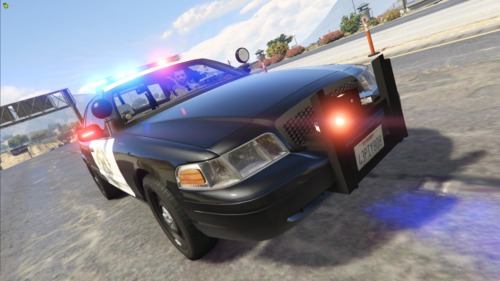
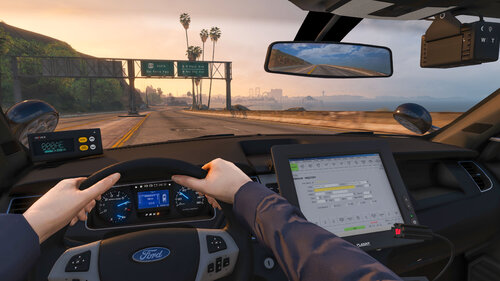
  1. J T posted a gallery image in GTA V Galleries
  2. J T posted a gallery image in GTA V Galleries
  3. J T posted a gallery image in GTA V Galleries
  4. J T posted a gallery image in GTA V Galleries
  5. J T posted a gallery image in GTA V Galleries
  6. J T posted a gallery image in GTA V Galleries
  7. J T posted a gallery image in GTA V Galleries
  8. J T posted a gallery image in GTA V Galleries
  9. J T posted a gallery image in GTA V Galleries
  10. J T posted a gallery image in GTA V Galleries
  11. J T posted a gallery image in GTA V Galleries
  12. J T posted a gallery image in GTA V Galleries
  13. J T posted a gallery image in GTA V Galleries
  14. J T posted a gallery image in GTA V Galleries
  15. J T posted a gallery image in GTA V Galleries
  16. J T posted a gallery image in GTA V Galleries
  17. J T posted a gallery image in GTA V Galleries
  18. how about an els version without the plow stuff like a private security unity?
  19. the utility is really short compared to your other utilities, hope that will be fixed
  20. love your cali cars, you should consider doing an imperial county sheriff pack since sandy shores is based on imperial county
  21. the newer tahoe is missing a passenger spotlight
  22. love this interceptor, bout time we got a decent scaled one
  23. J T posted a gallery image in GTA V Galleries
  24. J T posted a gallery image in GTA V Galleries
  25. J T posted a gallery image in GTA V Galleries

Account

Navigation

Search

Search

Configure browser push notifications

Chrome (Android)
  1. Tap the lock icon next to the address bar.
  2. Tap Permissions → Notifications.
  3. Adjust your preference.
Chrome (Desktop)
  1. Click the padlock icon in the address bar.
  2. Select Site settings.
  3. Find Notifications and adjust your preference.