bhgodgl
Members
-
Joined
-
Last visited
Everything posted by bhgodgl
-
i don't have mods folder, I recently reinstalled the game and installed only lspdfr without any plugins or anything like that.
-
No, it's crashes only when LSPDFR loads. I tried lauch game just with RPH and all good. When i open console and load lspdfr.dll it has crashed. I feel like I'm the only one this has happened to. I've tried everything. I deleted the setting.xml file, verified the files, reinstalled the game, reinstalled LSPDFR, and nothing helps.
-
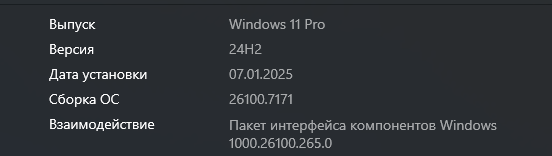
When I load into story mode, as soon as LSPDFR starts loading, my game simply closes without any error, everything is clean in the Rage Hook log fileRagePluginHook.logAlso in log file says Detected Windows 10 Professional (64-bit) (10.0.26100.0)!, but i have win 11 pro I use Rockstar Laucher, Battleye disabled. Microsoft Defender disabled, clean copy of the game. https://youtu.be/suflci92fTw Crash recording.