S1lly
Members
-
Joined
-
Last visited
Everything posted by S1lly
-
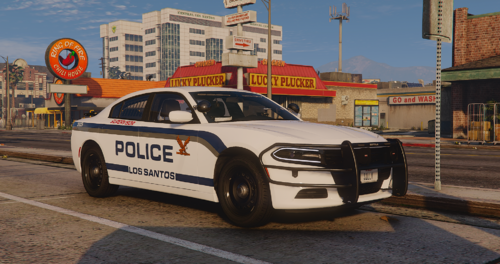 A simple but fairly detailed 2018 dodge charger pursuit i made for fun, features blue on blue lighting with a amber rear deck lightbar 10 total extras for rambar options, spotlights, equipment like the interior or rear ALPRS 3 total liveries, 1 supervisor, 1 ghosted, 1 patrol Non-ELS, does NOT require 32 siren plugin!
 -
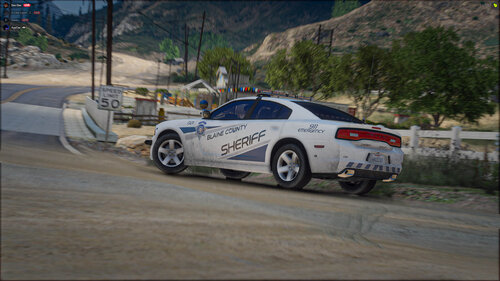 W vc screenshot
 -
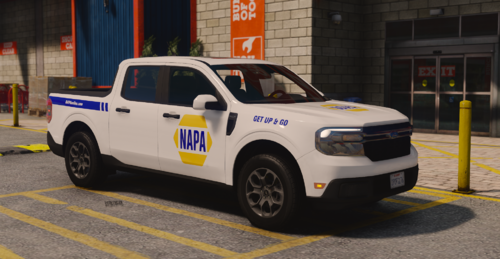 you have the psd so you can modify it if you'd like, if you reupload it just give me credits the model is from Raz3r's patreon
 -
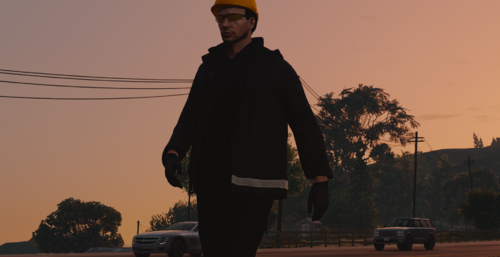 Credits ------------------------- . Luca Designs - EUP models, PSD's . GTA5 - Models . The hardhat is a base game hat Usage ------------------------- Do NOT Rip the models Do NOT Modify the textures and resell/reupload other than that idrc tbh just credit me More ------------------------- its meant to be based around real life, its minimal so it doesn't take a bunch of EUP space on fivem or SP
 -
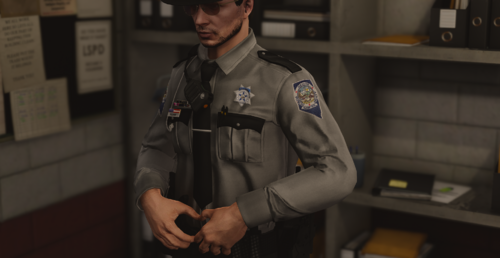 Credits ------------------------- . Luca Designs - EUP models, PSD's . GTA5 - Models . Kuwu - Badge (FILE NOT INCLUDED) idk where i got the hat from sorry 😞 Usage ------------------------- Do NOT Rip the models Do NOT Modify the textures and resell/reupload other than that idrc tbh just credit me More ------------------------- This is as close as it gets ngl, the hat and badge textures aren't perfect cause i dont make badges or hats. The colors might be slightly off but irl they look a bit like what i have Heres how you can replicate their uniforms 1:1 Thinlines Holsters + Belts, All black with taser on left side hip Basic holster Harris Mics Axon Body 4 (they used to use 2's but as of late 2024 they upgraded to 4) there you go 🙂