


ThatOneHick
Members
-
Joined
-
Last visited
Everything posted by ThatOneHick
-
-
Link to video you installed?
-
-
For some reason, people were saying that there was no livery on the truck. They said the vehicle was just white. It was because the liveries were "riot_sign_1" when they were suppose to be called "nstockade_sign_1".
- 16 comments
- 4 reviews
-
I couldn't get it removed. When I tried, it looks awful. I left it unlocked so if someone wants to attempt to remove it.
- 16 comments
- 4 reviews
-
Want a model to be converted, submit your requests here: http://thatonehick.weebly.com/request-a-conversion.html _______________________________________________________________ Overall model by: - "ThatOneHick", Original model by: - "Rockstar Games", Riot exported from GTA V by: - "ThatOneHick", Riot converted by: - "ThatOneHick", ELS mapping by: - "ThatOneHick", UV mapped by: - "Yard1", _______________________________________________________________ This modification is to only be posted on "GTA4-Mods", "GTAInside", LCPD:FR & "ThatOneHick's" blog site by "That One Hick"! Actions will be taken if another user uploads this modification anywhere! _______________________________________________________________ How to install: Use SparkIV or OpenIV and import model with any vehicle! Please read the "readme.txt" file in the download for more information on data lines! Open your ELS folder (Grand Theft Auto IV > ELS) and place the "nstockade.ini in your ELS folder, then go to your _SLOTCONTROL.ini file, locate nstockade, change the status to "on", then change the file type to "nstockade". _______________________________________________________________ Thanks for downloading! Please leave a rating:)
- 16 comments
- 4 reviews
-
-

- 1
-
-
-
I'll do a quick video!For online accounts, not really. For software stuff and miscellaneous things, maybe... just to see.
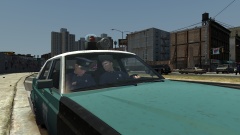 Nice! I love old school defaults!If you are using the quadar tool, hold down CTRL and then highlight with the quadar tool. Separated - CTRL + Click (on parts you don't want selected).Yep but I don't care!Tomorrow, it's going to be the Hydra! :)Want a model to be converted, submit your requests here: http://thatonehick.weebly.com/request-a-conversion.html _______________________________________________________________ Overall model by: - "ThatOneHick", Original model by: - "Rockstar Games", Firetruck lightbar & LED Quadaflares exported from GTA V by: - "ThatOneHick", Templated firetruck model by: - "Yard1", _______________________________________________________________ This modification is to only be posted on "LCPD:FR" "LCPDMods", "GTA4-Mods", "GTAInside",& "ThatOneHick's" blog site by "That One Hick"! Actions will be taken if another user uploads this modification anywhere! _______________________________________________________________ How to install: Use SparkIV or OpenIV and import model with any vehicle! Open your ELS folder (Grand Theft Auto IV > ELS) and place the "firetruk.ini" in your ELS folder, then go to your "_SLOTCONTROL.ini" file, locate "firetruck", change the status to "on", then change the file type to "firetruk". _______________________________________________________________ Thanks for downloading! Please leave a rating:)
- 8 comments
- 3 reviews
I am still having the same issue. I am trying to get the GTA V Firetruck's wheels, the nodes are in place, and it still does it...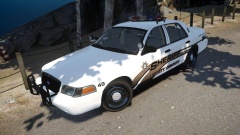 Really professional with that front license plate! xDIt's almost like a marketing strategy tool as well. The only reason I wanted GTA IV PC is because of the mods. If this game wasn't moddable, I would stick to GTA IV Xbox 360. People see all these mods people create and they say "man that looks cool! I want that!" Once they find out that it's PC only, they go out and buy GTA IV PC. It's almost like modders are doing unpaid advertising.Trust me, if I had access to the next gen files, I would definitely convert them and some vehicles. We just have to wait until they are available:(So I have been thinking a little bit. Some people may say it's a coincidence that these items are in the game, while some might find it suspicious. But do you guys think that Rockstar Games has been paying attention to the modding community, and implemented the modder's ideas, thoughts, and even creations into their own version for their games? For example, the police esperanto: Lt. Caine's modification: Rockstar Games' Police Esperanto: One of the most downloaded modifications, ELS (emergency lighting system): Rockstar Games' "ELS" There is also a vehicle where someone took the GTA IV MTL Packer and placed it on the Phantom's frame, but I cannot find the modification, but this is basically what it looked like: There is much more, but that's all I can think of off the top of my head. What do you guys think, did they use modder's ideas and try to create their own? Or is it just a coincidence? Post your opinions. I do ask that you be respectful to me and others in the topic thread. No need to get violent over this topic! :D If you found any other similarities, please post here!
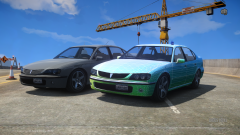 Nice idea. :)
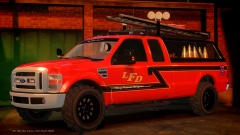 Are those GTA V tires?


