Operator14
Members
-
Joined
-
Last visited
Everything posted by Operator14
-
-
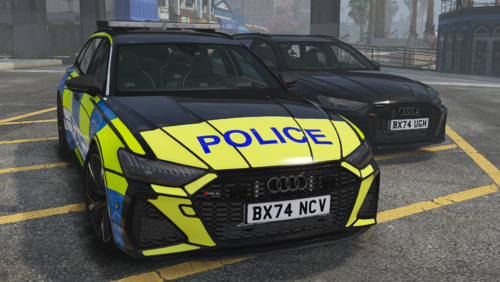 Really nice car models and liveries, Thank you!
 -
 Quite an awesome mod, Detects what I'm saying quite well but I would recommend making the options for disabling the notifications work since at the moment it doesn't.
- 247 comments
- 7 reviews
-
-

- 1
-
-
-
-
-
 Helicopter Transport is a lightweight LSPDFR plugin that lets you request a helicopter on demand, fly to any waypoint on the map, and rappel down to your destination, solo or with a partner. Press F6 to call in a helicopter, hop in, set your waypoint, and let the pilot fly you there. Once you arrive, rappel out and get straight into action. Full support for Policing Redefined partners means you don't have to go in alone. Video Showcase and Install: https://drive.google.com/file/d/1UP_qe5L_2d7fMRMiqaSQ3VOLmBwxRxRU/view?usp=sharing Features: On-demand helicopter requests with a customizable keybind Configurable helicopter model and spawn locations via simple XML/INI files Fly-to-waypoint AI piloting Rappel system for you and your partner Automatic helicopter despawn once the rappel is complete Install: Installation is simple! 1. Drag and drop the Plugins folder into your GTA Directory. 2. Launch GTA V using RAGE Plugin Hook (RPH). 3. Load LSPDFR and go on duty. 4. HelicopterTransport will automatically create the required files: GTADirectory/Plugins/LSPDFR/HelicopterTransport/ This includes: - Settings.ini - Spawns.xml
 -
-
-
 Credits: All recognition goes to MarcelWRLD, Echooo, and AstroBurgers. This mod was created for Policing Redefined. Please note that this mod is not mine, and all credit belongs to the original creators. This mod adds 22 additional questions to Foot Pedestrian Stops, enhancing interactions and roleplay options. Extra Questions: 1. Are you in possession of a weapon at the moment? 2. Are you under the influence? 3. Have you been involved in any illegal activity recently? 4. Do you have any medical conditions? 5. Have you traveled outside the country recently? 6. Are you carrying any prohibited items? 7. Have you committed any crimes in the past? 8. Do you know the person we are looking for? 9. Have you ever witnessed a crime? 10. Do you have any dangerous skills? 11. Are you cooperating with authorities? 12. Have you provided false information before? 13. Do you know why you were stopped? 14. Have you seen anything suspicious today? 15. Are you willing to take a test? 16. Have you spoken to anyone about this investigation? 17. Do you feel threatened right now? 18. Have you been approached by anyone suspicious? 19. Are you expecting someone to meet you here? 20. Do you understand the rules here? 21. Have you ever broken the law unintentionally? 22. Do you trust the authorities?