Skip to content
View in the app

A better way to browse. Learn more.

LCPDFR.com

A full-screen app on your home screen with push notifications, badges and more.

To install this app on iOS and iPadOS
  1. Tap the Share icon in Safari
  2. Scroll the menu and tap Add to Home Screen.
  3. Tap Add in the top-right corner.
To install this app on Android
  1. Tap the 3-dot menu (⋮) in the top-right corner of the browser.
  2. Tap Add to Home screen or Install app.
  3. Confirm by tapping Install.

KA1S0N

Members
  • Joined

  • Last visited

Everything posted by KA1S0N

  1. It doesn't, I've tried with NVE disabled, enabled, verified my game files-- trying without mods right now. Seems to be something in my mods folder. I'll take a look through it and see what the newest thing I added was. Believe it was STP. Not new to LSPDFR, but this is a fresh install RPH works once I attach it in game, but my postal plugins are fucked up.
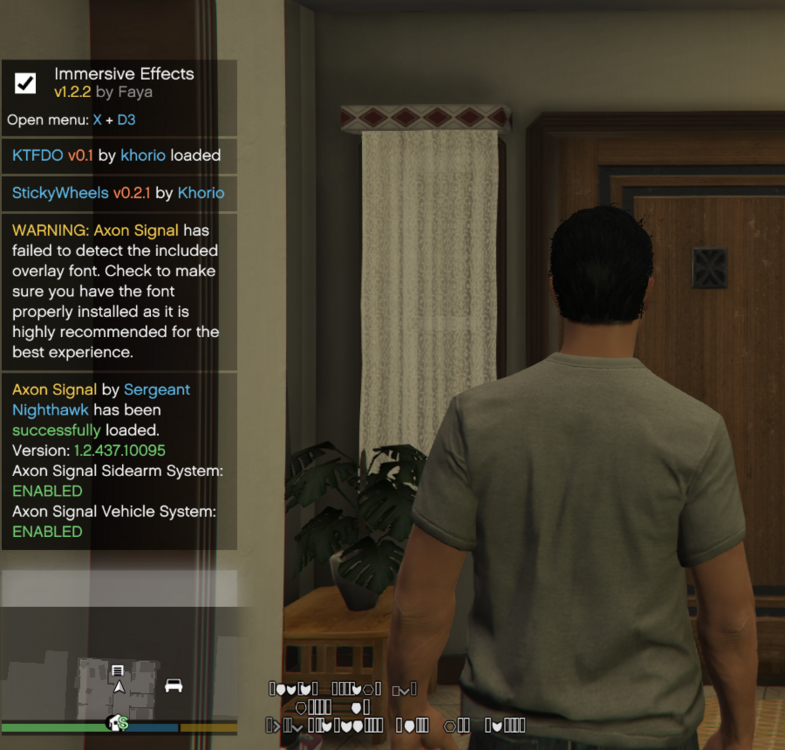
  2. Installed a few mods, all which seem to be working fine, but the game crashes upon story mode launch. Will troubleshoot in the morning! RAGE Plugin Hook v1.122.1379.17094.txt It is not NVE, just uninstalled. Has to be one of my mods.

Account

Navigation

Search

Search

Configure browser push notifications

Chrome (Android)
  1. Tap the lock icon next to the address bar.
  2. Tap Permissions → Notifications.
  3. Adjust your preference.
Chrome (Desktop)
  1. Click the padlock icon in the address bar.
  2. Select Site settings.
  3. Find Notifications and adjust your preference.