brob230
Members
-
Joined
-
Last visited
Everything posted by brob230
-
Still getting infinite loading screen even after removing ScripthookVDotNet.asi
-
Will try when I get home and get back to you!
-
I cannot for the life of me figure out why I have this infinite loading screen. I'm stuck at "loading ragepluginhook with story mode." I've tried about everything and nothing seems to work. I believe i posted the right log, if not let me know and i can get the correct one. Thanks in advance. RagePluginHook.log
-
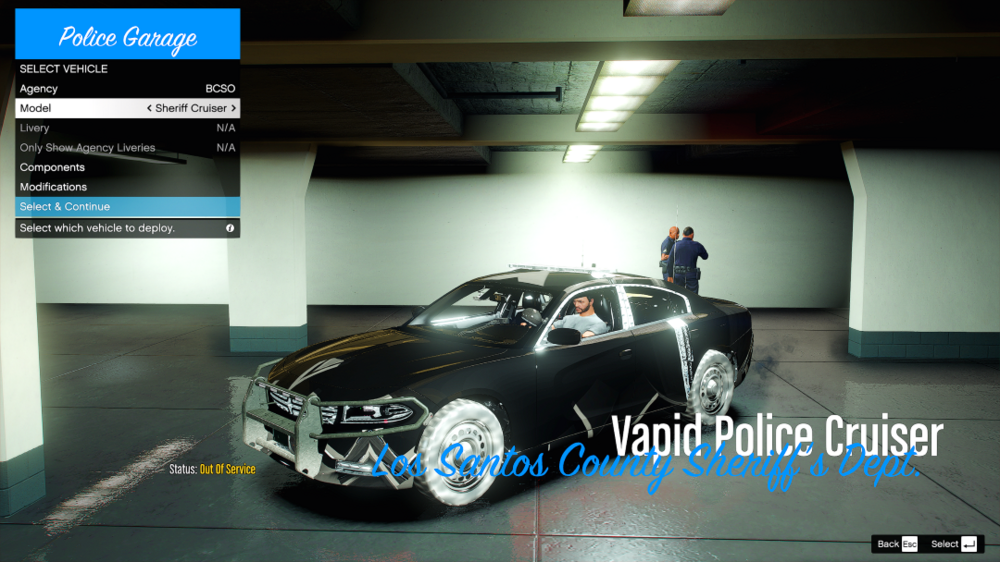
For some reason my sheriff 1 cars have been completely messed up. I have tried about 3 different cars, from reputable modders so I know its not the vehicles themselves. Its something on my end, I just dont know what it is. Thanks in advance.
-
Only crashes when going on duty. I can load the game up just fine but when going "ForceDuty" or even going to the station to go on duty, it crashes. I have no idea how to interpret the crash logs, that why I'm here. Thanks in advance! RagePluginHook.log