


Damian2005
Members
-
Joined
-
Last visited
Everything posted by Damian2005
-
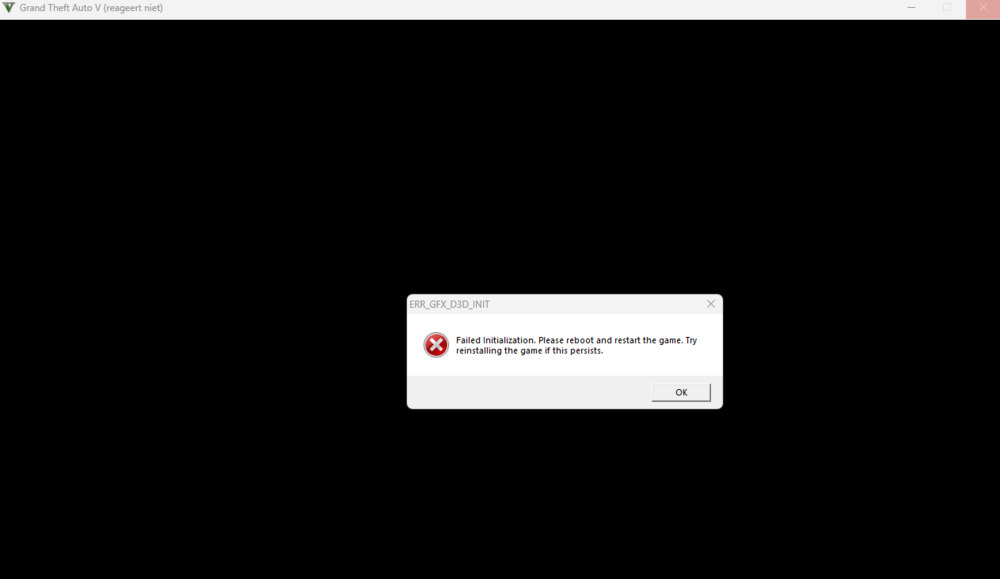
Apart from the TXT file, this is what happens whenever my rageplugin and GTAV is finished loading:
-
RagePluginHook.log This is the latest one with that file name, is this the correct one? @UnknownBastion
-
Have to mention that i've had issues with LSPDFR before, but not like this. Sometimes i had crashes similar to this, but after i deleted some out-dated files, got rid of battleye once and for all and i deleted some mods it worked just as well as it always did. But now i'm basically rocking vanilla LSPDFR and it's still messed up
-
I've just had to update my rageplugin and lspdfr plugin folder and it's supposed to work as usual, but for whatever reason the initiation doesn't work. I can launch the game and rageplugin installs just fine, but when the actual game is supposed to start the screen turns black and it crashes. I always first launch the game and then turn on rageplugin cause otherwise my game crashes all the time for whatever reason. Anyone know what might be causing it? RagePluginHook_12062025_205601.log
