




WarlowI
Members
-
Joined
-
Last visited
Everything posted by WarlowI
-
 I'm currently working on a large plugin that's taking up a lot of my free time. I'm going on holiday in a few days and I'll see if I can modify the ini to remove the text on the screen and some other improvments
 -
-
Thank you Basically yes, when you activate it it is set to 50 by default but with the appropriate buttons you can adjust it as you like and it remains in memory for the session! Right now I'm focused on a package of semi-random paranormal events xd
-
Good evening, I'm trying to convert one of my plugins from a work in progress into a callouts (and my first XD) the code seems fine but every time the game has to load the plugin this error appears Registering callout XFevents.Callouts.ContactCallout [8/7/2025 2:24:48 AM.662] First reply LSPD: error initializing plugin: XFevents.Callouts.MainPlugin: object reference not set to an instance of an object. in LSPD_First_Response.Mod.API.Functions.RegisterCallout(type of type) in D:\GTA V\LSPD First Response\LSPD First Response\Mod\API\Functions.cs:line 788 I can't figure out how to fix it, I've done everything, even the empty constructor but nothing, any ideas? Thanks
-
I've recently gotten into C plugins XD
-
Work in progress of an idea I have for gta 5 / lspdfr , random events based on the paranormal in Xfiles style Here another One https://youtu.be/MBNRnRXjRak?si=fTJzBbUwRNTZf5mi Notifiy text are placeholders for now
-
-
yes exactly! and that's exactly what I wanted to try to reproduce, by pressing the button I set the speed and the car doesn't go beyond the number entered, it doesn't have auto pilot so it's always up to the player to accelerate XD Thanks you
-
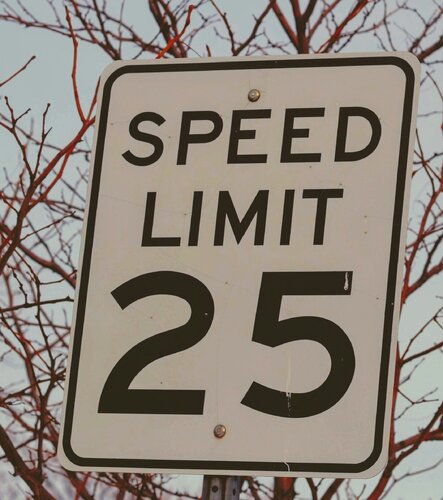
Simple plugin created for myself that limits vehicle speed, very useful for patrolling the lowlands! The plugin automatically generates an INI file to configure the keys. Default keys are: Left Alt to toggle the speed limiter, Numpad 9 and Numpad 3 to increase or decrease the speed. Everything is fully configurable in the INI file. Drag and drop in Plugin folder
-
yeah ive got an 50mb update that caused this error PookiethePOPO fix is working
-
 O thank you, so I think the 1.33 one is the one where the player chats the most xd
- 186 comments
- 4 reviews
-
This is a plugin that I really like but I'm not sure if I installed it properly, or rather, it works very well in game but could you please clarify what the difference is between the PREVIEW file and the 1.33mb one below? Do I need both or just one?
- 186 comments
- 4 reviews
-
I think I found the solution, I reinstalled all the LSPDFR base files and put the EUP base xml files back, I found that LSPDFR was loading 2 times in the startup.rph file. I still have the error message about backups in game but now the callouts are back!
-
I'm testing right now and it seems not, I put my backup Mods folder and the problem remains, so I completely removed the Mods folder and nothing to do, also LSPDFR is crazy, no callouts, some chases the backup cars (ub) suddenly stop and some callouts do not even go manually via the manager (rph Say ...nothing happen). if even without the Mods folder it works there must be some problem with some LSPDFR plugin So, I played a bit without the mods folder, I had a first callout and immediately after about 50 seconds another one, then for 5 minutes nothing (stopwatch), the time for the callouts is set to 100 RagePluginHook.log rege log attached
-
ok after some testing: I set the time between callouts to 100 and in game the only callouts I receive are from CountyCallouts, also the message appeared on the screen that there is something wrong with the backups and any changes I have made should be removed, but all this started after installing WoV I thought they were compatible
-
I'll be home in a couple of hours and try to look into it, thanks for the explanation
-
Hey guys ive just installed the last version of World of variety and It seems that vow creates problems with callouts, LSPDFR works properly only that the callouts arrive every now and then but very rarely, before WoV the callouts arrived almost always, now I have to force them with the manager, could there be some problem with the dispatch.meta?




