




Pingus
Members
-
Joined
-
Last visited
Everything posted by Pingus
-
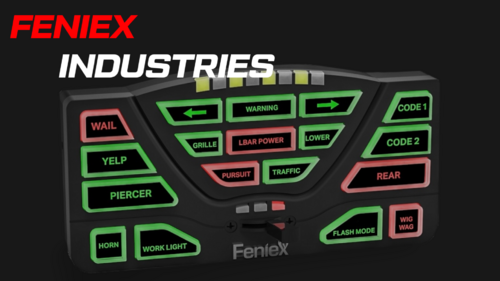 Hey, @249Xeno. although they may sound similar they are two different sirens from two different companies. NYPD runs off the SS2000 Smart Siren or another Federal Signal product, whilst this is a Feniex Industries. this company isn't as popular as WHELEN or FedSig so its uncommon to hear it. but do trust that all the sirens in this pack have been modified to sound as close to the real thing. Also what are your thought on the quality, this is my first pack and i would like to hear the feedback.
 -
this is my first siren pack that i've made so it is definitely not perfect (rumblers had to be heavily modified). Siren Preview ━━━━━━━━━━━━━━━━━━━━━━━━━━━━━━━━━━━━━━ TONES INCLUDED: ━━━━━━━━━━━━━━━━━━━━━━━━━━━━━━━━━━━━━━ • Phaser • Cops-theme • Fast Yelp • Hi-Lo • Horn • Horn Phaser • Horn Yelp • P-Call • P-Call Fast • Wail • Wail – RMBLR • Yelp • Yelp – RMBLR • Yelp Phaser • Hammer – RMBLR • HI-LO – RMBLR • P-call – RMBLR ─────────────────────────────────────────────── INSTALL GUIDE - Server Side ─────────────────────────────────────────────── ⚠️ This pack is optimized for FiveM server use, but can be adapted for client-side with OpenIV. ━━━━━━━━━━━━━━━━━━━━━━━━━━━━━━━━━━━━━━ PREREQUISITES: ━━━━━━━━━━━━━━━━━━━━━━━━━━━━━━━━━━━━━━ 1. ✅ OpenIV 2. ✅ Server-Sided-Audio 3. ✅ Luxart Vehicle Control (LVC) ━━━━━━━━━━━━━━━━━━━━━━━━━━━━━━━━━━━━━━ SERVER INSTALLATION: ━━━━━━━━━━━━━━━━━━━━━━━━━━━━━━━━━━━━━━ 1. Navigate to your server’s resource folder for dlc_serversideaudio. 2. Open the oac directory inside it. 3. Choose a department folder you want to replace sirens for. ▶ Example: "oiss_ssa_vehaud_bcso_new" 4. Place your new .wav files inside that folder. ━━━━━━━━━━━━━━━━━━━━━━━━━━━━━━━━━━━━━━ Open IV Importing ━━━━━━━━━━━━━━━━━━━━━━━━━━━━━━━━━━━━━━ 1. Open OpenIV 2. Locate your server resource files and open Server-Sided-Sirens -> dlc_serversideaudio -> oac 3. Enable “Edit Mode”. 4. Click Import openFormats. 5. Scroll down until you find ".oac" (e.g., "oiss_ssa_vehaud_bcso_new.oac") files and select the one that corresponds to the department you modified earlier. 6. Import. ━━━━━━━━━━━━━━━━━━━━━━━━━━━━━━━━━━━━━━ LUXART VEHICLE CONTROL (LVC) SETUP: ━━━━━━━━━━━━━━━━━━━━━━━━━━━━━━━━━━━━━━ 1. In Sirens.lua, make sure to request the script audio bank: example: RequestScriptAudioBank('DLC_SERVERSIDEAUDIO\\OISS_SSA_VEHAUD_BCSO_NEW', false)
