ewoane
Members
-
Joined
Everything posted by ewoane
-
Hello. Did you try playing the game without SuperCallouts plugin to see if it still crashes?
-
And I'm sorry that I forgot to mention, but try to install everything manually (not through OpenIV installer). It can be tedious, but this way it will help you identify if there are different mods that replace the same file and create conflicts.
-
Usually the most common files which causes the game to crash are DLC/Addon Cars or Clothing and Gameconfig.xml. So try installing all your other mods that you had and leave gameconfig.xml and any addon mods for last to see if they were the problem.
-
No. I meant to ask when exactly does the game crash occur. Do you even make it to the menu or does it crash on startup? I can't see any problems in your RPH.log so it must be some file inside of your "mods" folder. Did you try to disable the mods folder by renaming it to "_mods" and see if it still crashes?
-
Hello. Does the game crash when you try to load into story mode?
-
After digging through some of my installed mods, I managed to find the file which causes this issue. I see there is a similar post from 2023, so I'm going to explain how I solved it in case someone else will have to deal with this in the future. With OpenIV in edit mode, go to mods>update>update.rpf>common>data>ui and find the file named "frontend.xml". Right click on it and click edit. Now scroll down until you find "the feed (GameStream)" and change the lines "position" and "posloading" from whatever values they are to the default: <position alignX="L" alignY="B" posX="0.0" posY="0.0" sizeX="0.150" sizeY="1.0" /> <posloading alignX="L" alignY="B" posX="0.0" posY="0.0" sizeX="0.150" sizeY="1.0" /> Mine were set to higher values.

-
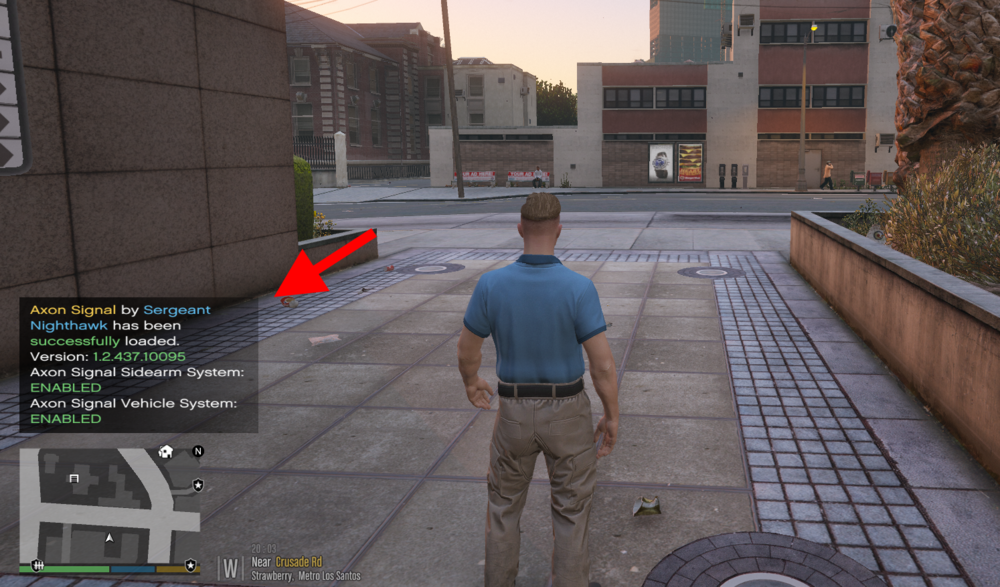
Hello. As the title says, my notifications appear wide and large above the minimap which can cause a lot of clutter. I tried running GTA V with both plugins and mods folder disabled and found out it's a problem with the mods folder. I wasn't able to find any type of fix on this issue on the internet so I was wondering if anyone else ran into this problem and knows what file to modify in order to fix it. (Changing the aspect ratio or resolution does not help).
-
 Are the earpieces supposed to be replacement files? Because in mp_m_freemode_01_mp_m_christmas_2017 there are no matching files
- 554 comments
- 46 reviews