Skip to content
View in the app

A better way to browse. Learn more.

LCPDFR.com

A full-screen app on your home screen with push notifications, badges and more.

To install this app on iOS and iPadOS
  1. Tap the Share icon in Safari
  2. Scroll the menu and tap Add to Home Screen.
  3. Tap Add in the top-right corner.
To install this app on Android
  1. Tap the 3-dot menu (⋮) in the top-right corner of the browser.
  2. Tap Add to Home screen or Install app.
  3. Confirm by tapping Install.

PurpleVoidx

Members
  • Joined

  • Last visited

Everything posted by PurpleVoidx

  1. A little update: When I used a GTA5 cleaner and booted up the game it worked perfectly fine, so I don't know if it's scripthook causing this but yeah
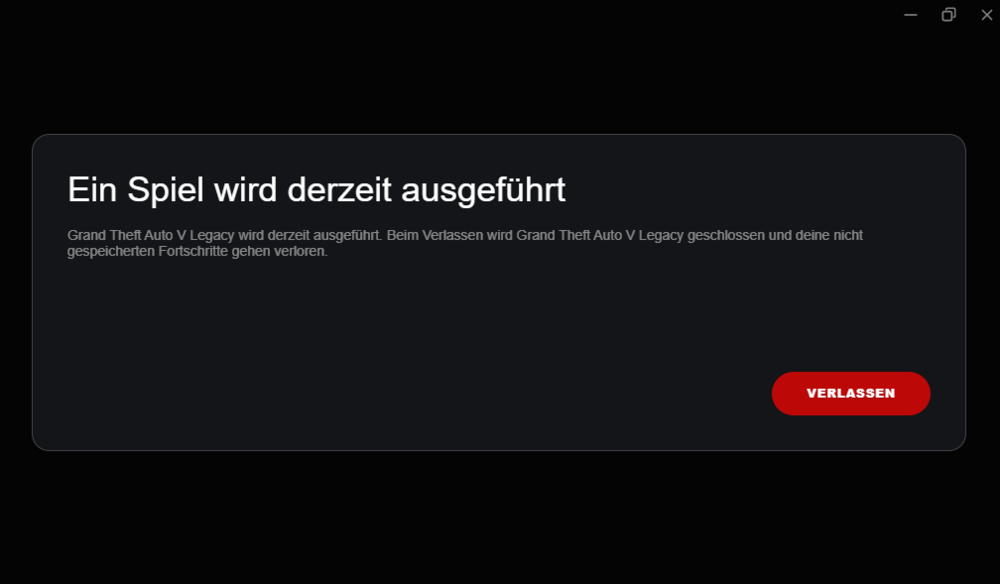
  2. Greetings, Officers. I just woke up, removed some callouts (because I didn't want my game to run like doodoo) And got myself Sandmans reshade preset (fire btw) Wanted to go for a patrol and yeah, got this "error". I don't know whether it's something I did or if it's genuinely just a problem with R*. If anyone has a fix for this or just some information about it I would really appreciate it because I'm kind of lost here and it's just really annoying.
Account

Navigation

Search

Search

Configure browser push notifications

Chrome (Android)
  1. Tap the lock icon next to the address bar.
  2. Tap Permissions → Notifications.
  3. Adjust your preference.
Chrome (Desktop)
  1. Click the padlock icon in the address bar.
  2. Select Site settings.
  3. Find Notifications and adjust your preference.