


Zombie603
Members
-
Joined
-
Last visited
Everything posted by Zombie603
-
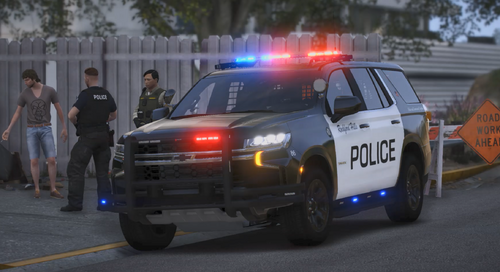 Nice tahoe! Is it possible to remove the pre-installed livery & decals?
 -
 Hey, looks great however it works when I use it on the same system browser but when I try and use the link on my laptop it doesn't load? Any thoughts? (sorry if it was explained a lot)
- 221 comments
- 22 reviews
-
I have just been loading into normal GTA then launching RPH. Normal GTA launches fine. At that time I didn't have any other mods installed, only LSPDFR. I got it working by like I said before, launching GTA then RPH. It still crashes when I try and load into it with only RPH. RagePluginHook.log
-
I've tried all day and seen all tutorials. I've looked into fixes but nothing seems to be helping. My GTA works fine when I launch normally, but it always crashes right after launching RPH. It loads for a second just like normal GTA then crashes immediately, I've set the timeout threshold to 60000 but it still seems to crash. There is no mods folder for me to rename or anything and I'm not sure if there is an underlying issue or I just installed it incorrectly. If somebody could please help or suggest anything that would be great.
