xXLeonXx
Members
-
Joined
-
Last visited
Everything posted by xXLeonXx
-
 thank you for your feedback and for testing the update! That's a great suggestion. I’m already planning to add an option in the .ini file where you can set your preferred unit (km/h or mph) as the default. This way, you won’t have to toggle it manually every time you play. I’ll work on including it in the next update! Thanks again for the idea! 🚀
 -
Yep, Simple Trainer can do that too — but not everyone wants to load a huge menu just to see their speed. This is just a lightweight, focused option. I'm still new to C# and starting small — and clearly, there are enough people who appreciate that. If it’s not for you, that’s totally fine. Just don’t use it. 😉
-
Its out now. 🙂 version 1.2 press F10 when you're in the game and it will switch to mph unit
-
Yes, its km/h only. But I'm working on an MPH version.
-
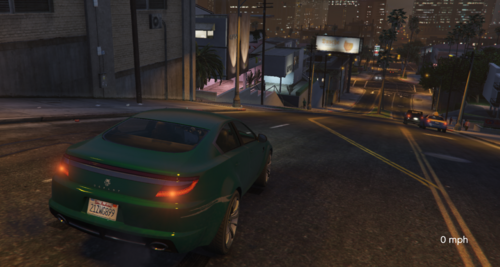
Simple Speedometer is a lightweight and performance-friendly plugin for RAGEPluginHook that displays your current vehicle speed (in km/h and mph) at the bottom-right corner of the screen. The plugin integrates seamlessly into your GTA V experience and works well alongside other plugins such as LSPDFR. 💡 The display activates automatically when you enter a vehicle and turns off when you exit. ✅ Smooth performance, no FPS drops, and a clean visual style. 🛠️ Installation: Place Simple Speedometer.dll and Simple Speedometer.ini into your GTA V Plugins folder. 🔧 Need help or found a bug? If you experience any issues or crashes, feel free to leave a comment. I’ll work on resolving it and publish an updated version if necessary. 🔄 The plugin will be updated as needed to maintain compatibility with future RAGEPluginHook versions. _____________________________________________________________________________________________________ 📌 Changelog / Version History 🆕 Version 1.1 (Initial Release) First stable version released to the public Fixed crash issues when entering a vehicle Improved stability and compatibility with RAGEPluginHook 🆕 Version 1.2 (Update) New feature that allows players to switch between km/h and mph unit. 🆕 Version 1.3 (Update) Added INI configuration file support Players can now change or disable the toggle key for switching between km/h and mph Improved customization and compatibility with other mods 🆕 Version 1.4 (Update) Added new "DefaultUnit" setting to the INI file Players can now define whether the speedometer should start in km/h or mph 🆕 Version 1.4.5 (Fixed Problem) Fixed the problem with the last change to the INI file of version 1.4