
JTSBR1
Members
-
Joined
-
Last visited
Everything posted by JTSBR1
-
Hi Guys, How do I install a livery. The download I have from here is just three .png files with no instructions attached and as a newer person, haven't done this one before.
-
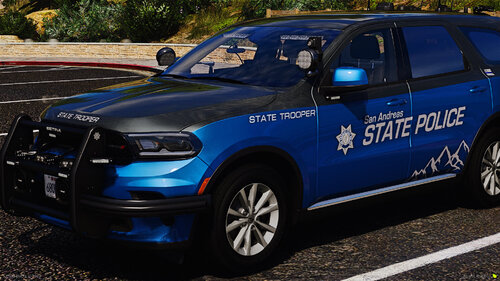 I LOVE the SAST3 = 2020 Ford Explorer - LOVE the paint scheme... Wonder if it was possible to add the Wig Wag Headlights?
 -
WHich part isn't installed correctly @Camb? The Rage Plug in or the Radar.
-
RagePluginHook.log
-
I'm having the same issue
-
Thanks Lennyy
-
Hi guys, First timer... Loaded GTA V Legacy on my computer, installed the Launcher and launch from there... I do have LSPD installed. When I load the game, I get the story mode where the old guy is talking about his son, then the two guys come on that are about to repo two cars. Press F4 and I goto my apartment... I guess. If I try to do anything after that, I get failed mission because I didn't stay with Lamar.