


dxnkwer
Members
-
Joined
-
Last visited
Everything posted by dxnkwer
-
omg i just changed the language to english and everything started working stable for me. i dunno how it works Guys who have the same problem, try to put English everywhere, or check all asi individually, it should help you
-
I checked all the asi separately, I thought that the problem in ELS, but it turned out not so, the problem Player Location Display, I do not know how it is connected, but it is with him I have a crash game
-
I renamed dinput8.dll to _dinput8.dll and the game worked, but some plugins are no longer displayed, such as player location display 4.0
-
nope :( The log ends again at ambient spawn
-
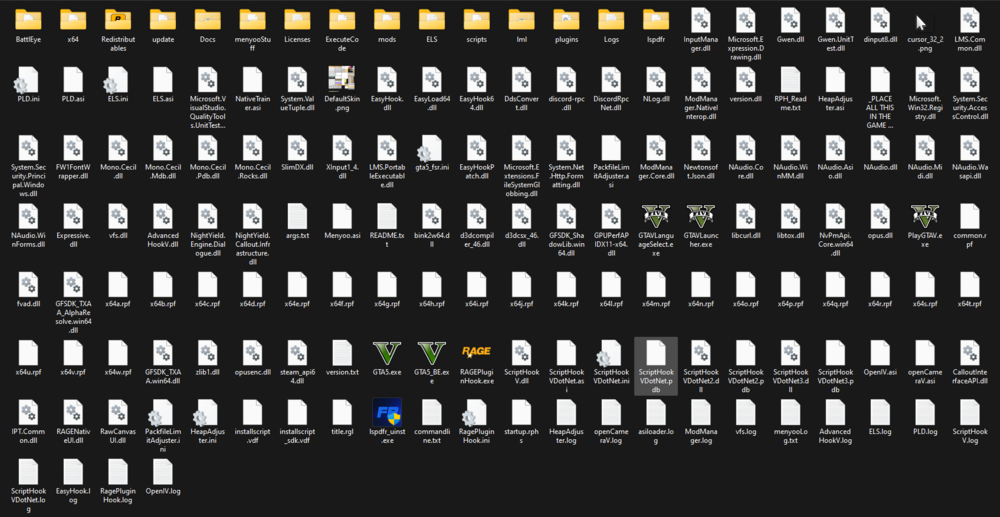
vfs.lognah, it didn't helpScriptHookVDotNet.logAdvancedHookV.logELS.logPLD.logScriptHookV.logEasyHook.logRagePluginHook.loghere are all logs, I think it will help in analyzing the problem, also attached screenshot with all files in the folder
-
Hello everyone, my problem is as follows, I spwn for michael and move on the car / free camera to Rockford Hills, my game immediately crashes, initially I thought that the problem in the plugin Immersive Ambient Events or Ransom Ambience because the end of the log line ends with AmbientSpawn, but by removing these plugins and quant v problem remained. log attached below, tell me what the problem is plzEasyHook.logRagePluginHook.log I also used this mod pack, but except for some mods, pages that are unavailable or I just didn't install Stow that Weapon (link) Better Hit Reactions (link) Delete Vehicle (link) German Shepherd / Malinois - K9 Dog (link) Realistic Blood V (link) Community Mission Row Police Department (link) I'm hoping for your help, I'd appreciate it in advance
