Kilroy Mods
Members
-
Joined
-
Last visited
Everything posted by Kilroy Mods
-
 I can look into it as I have tried DLS in the past, will probably release an early version in my Discord before updating the files elsewhere.
 -
At this time I do not plan to make a Replace version or ELS. I am mainly going to stick with FiveM Vehicles and Non-ELS. As well as completely reworking the vehicle from Non-ELS would take a while for me to get completed.
-
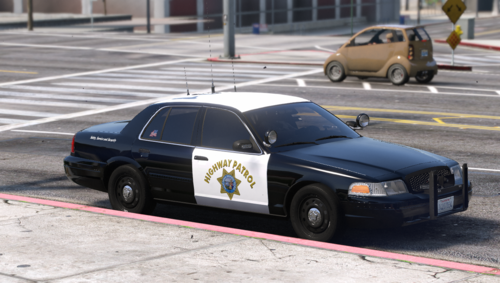
I would like to introduce an older project I was working on now fully public. My 2005-2011 CHP Inspired CVPI Pack. Including 2 FS Vision Rotator and 2 Hardtop CVPIs. Included in the pack is a Standard Patrol and K9 FS Vision CVPI, along with a 2011 Hardtop with the Whelen TANF Rear Deck and a 2005 Hardtop with the FS Signal Master 8. This pack does feature a couple unique quirks being a custom FS Vision setup similar to CHPs IRL Spec, along with unique emissives that change depending on your position to the lightbar to simulate IRL Color Caps. Along with the Signature CHP Wail and Yelp lighting patterns available on both Hardtops, and all models feature full working TAs and other functions thru ULC. All CVPIs feature reflective liveries as well. If you are interested in these models feel free to join my Discord and Check out my other projects here. https://discord.gg/dbznHA2DDF TOS I am not responsible for any faulty Installation of any products or any damages caused by improper installation. Always keep a safe backup of all files. No Reselling, ripping, or unlocking of any models.
-
 Yes, I am planning on marking a replacement version down the road for those who want it to replace base model vehicles. You can currently make it a replacement, by renaming the model yfts, ytd and updating the metas to the replacement vehicle in the mean time.
 -
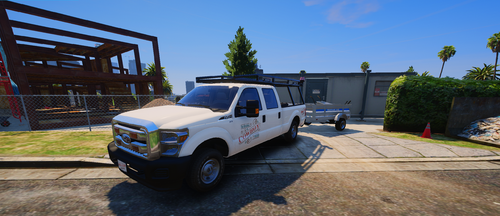
My First free release of hopefully many more. Will be a constantly updated pack to feature 4 vehicles total. Being the Currently Released 2014 F-250 Crew Cab, and soon to feature a 2014 F-250 Single Cab, 2014 E-250 and 2014 E-350. All the vehicles will feature similar lighting, along with a small handful of modkits. Currently the Crew Cab F-250 features a couple modkits being Bumpers, grilles, plates along with rear bed equipment and tools. With a minimalistic interior layout, along side a full 270* work light setup. Included with a simple Lore Friendly McGill-Olsen Livery, as well as having a colorable ladder rack via secondary colors. I plan to expand the pack fully over the next 2 months as well as new additions to current or future models like new modkits or parts as the pack progress'. TOS I am not responsible for any faulty Installation of any products or any damages caused by improper installation. Always keep a safe backup of all files. No Reselling, ripping, or unlocking of any models.
-
 Any plans to make the files into a FiveM Resource as an optional version. For those who don't want to directly edit their game files.