


OuhYeah
Members
-
Joined
-
Last visited
Everything posted by OuhYeah
-
Thanks a lot, it also solved my issue. Thanks for your investigations ❤️
-
I am having the same problem. Didn't touch anything from the last playtime I had 2 days ago. The game loads after lauching story mode and crashes 2-3 secs after landing in the game. I tried to launch the game without any plugins, it crashes. It crashes also when launching without passing via RPH and it crashes also when renaming the mod folder to "_mod". I reversed the GPU driver I updated this morning to the one when the game was working, it keeps crashing. Is the game itself had a little update in between ? RagePluginHook_07102025_134112.log
-
Hey, with the GTA V 3521 build, I downloaded the lastest lspdfr patch 3521 on this website. But, meanwhile, Scripthook plugin has not been updated yet, so I cannot launch the game anymore due to a fatal error. I managed to downgrade back to 3504 build but I need a version of LSPDFR from the same patch -> 3504. If anybody could give me the archive, that would solve my problem. Thanks
-
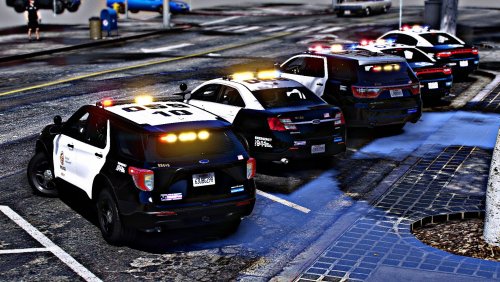 Thank you for your excellent work, Also, honest feedback, I find the rear light is way too bright with a regular ELS installed on my side. And windows are too transparent, I think you could add a little opacity and more reflects on them (if possible)

