


Juicy's Modifications
Members
-
Joined
-
Last visited
Everything posted by Juicy's Modifications
-
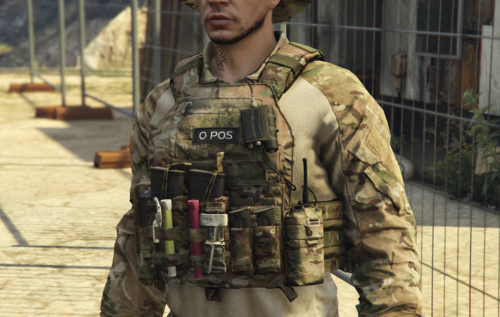 Textures for Hanakos Vest & Earpeice vests. Join my discord: https://discord.gg/EWJJgn3E Cheers, Juicy
 -
-
-
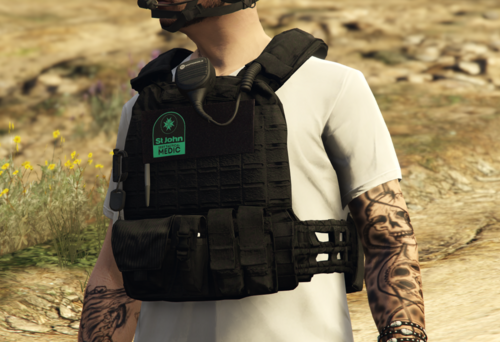 Mini texture pack for the New Zealand St John Special Emergency Response Team, Textures for: Join my discord: https://discord.gg/8b3hjtccBb Cheers, Juicy.
 -
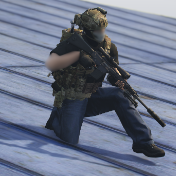
.thumb.png.74584c0beef3db7627c40d042330cc92.png) Mini texture pack for the New Zealand police Armed Offenders Squad. Original models: Cheers. Join my discord: https://discord.gg/8b3hjtccBb
Mini texture pack for the New Zealand police Armed Offenders Squad. Original models: Cheers. Join my discord: https://discord.gg/8b3hjtccBb -
.thumb.png.1040ed2801189a36ae6085162a086e6d.png) Revamped semi-fictional textures for: - SkylineGTRFreak's UH-1H Iroquois NASA helicopter model (https://www.gta5-mods.com/vehicles/uh-1h-iroquois-nasa-add-on). - SkylineGTRFreak's NH90 German Transport helicopter model (https://www.gta5-mods.com/vehicles/nh90-german-transport-helicopter-add-on-custom-seat-layout) The UH-1H livery will be redone, along with a new C130J30 livery coming soon 🙂 Join my discord: https://discord.gg/8b3hjtccBb Cheers.
Revamped semi-fictional textures for: - SkylineGTRFreak's UH-1H Iroquois NASA helicopter model (https://www.gta5-mods.com/vehicles/uh-1h-iroquois-nasa-add-on). - SkylineGTRFreak's NH90 German Transport helicopter model (https://www.gta5-mods.com/vehicles/nh90-german-transport-helicopter-add-on-custom-seat-layout) The UH-1H livery will be redone, along with a new C130J30 livery coming soon 🙂 Join my discord: https://discord.gg/8b3hjtccBb Cheers.

.thumb.png.74584c0beef3db7627c40d042330cc92.png)

.thumb.png.1040ed2801189a36ae6085162a086e6d.png)
