Yeschua Benavente
Members
-
Joined
-
Last visited
Everything posted by Yeschua Benavente
-
-
-
-
 im trying to edit some stuff regarding another mod tho, you dont have the ini by chance?
- 266 comments
- 22 reviews
-
-
 Gotcha, thanks for the explanation. Youre configurations are great dont get me wrong, I was just kinda looking for a way to go back to what I had with UB. Maybe in the future you'll upload it, and if thats the case, be so damn sure ill downloaded lmao. Cheers!
 -
Thanks! And also, you know how in the "vanilla" EUP, each police department in their district inside Los Santos shows up with their own individual uniform, Del Perro PD for example. But when I install this the backup inside LS shows up with the Default police uniform, no new patches. Is that how its supposed to be? Im sorry im asking a lot, im kinda new to this
-
dude can you help me out with something? after installing this thing, my backup lspd shows up with the car i have assigned for POLICE4 instead of POLICE AND POLICE2, and SAHP shows in plain white cars and i have no idea on how to fix it
-
Why is lspd now using POLICE3 and POLICE4 vehicles and SAHP using deafult white vehicles? how I change that?
-
how much you paid for it?
-
 how do i install
 -
-
-
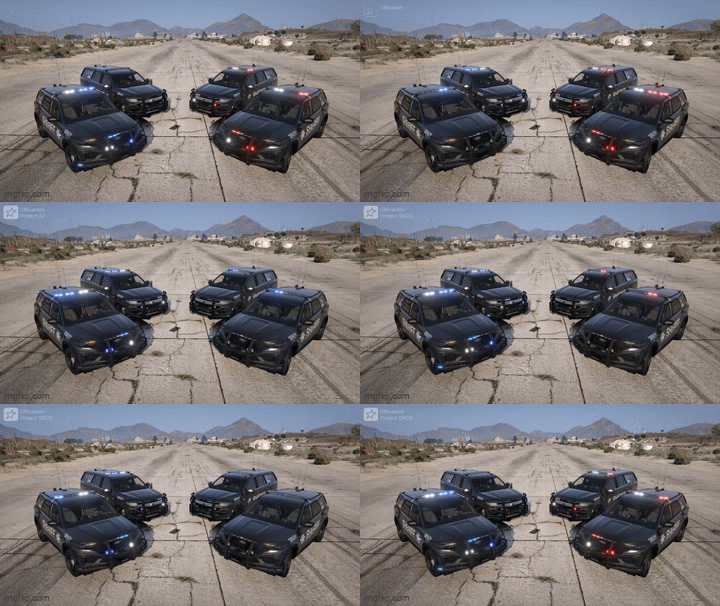 Ive got an issue with the fpiu texture on the back bumper. It has a big text
 -
-
Whenever I try to change something it. For example, changing the hour settin so its nigth or day. The counter goes crazy and doesnt stay in place. It goes back to zero. I cant fix it. Pls help