



mistaspicy
Members
-
Joined
-
Last visited
Everything posted by mistaspicy
-
 Downloaded 2.0 but not getting any of the new liveries... anyone know how to fix it??
- 363 comments
- 27 reviews
-
 Hey mate, yes I do! https://discord.gg/abTuSCb4y7 this is the link for the guys who made the Rav4 Model. If you have any questions, feel free to ask!
 -
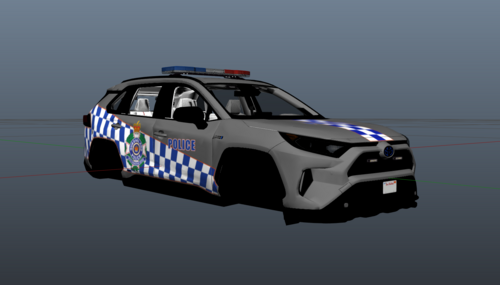
This is a Toyota Rav 4 livery for QPS. Made by mee! Still a WIP, so let me know if I need to fix or add anything! The vehicle is from Patrick in the Piping Modifications Discord, #discord-release. (Vehicle seen in the image, just imagine it with a QPS Livery!)
-
-
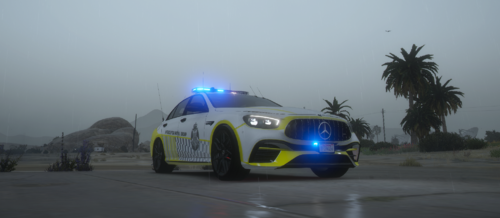 Made a Victoria Police Interceptor Livery for the Mercedes E63S by StevieG - (I believe from Piping Modifications) Feel free to use this in any server, just don't try and steal it from me, without permission. Please don't use the textures or anything in the livery without asking. Made by AussProductions - Me 🙂 https://discord.gg/skw99nEfBP
 -
.thumb.jpg.4675ea03c455d7fb28d8584633dfd182.jpg) Hey mate, do you have an updated Discord server invite??
Hey mate, do you have an updated Discord server invite?? -
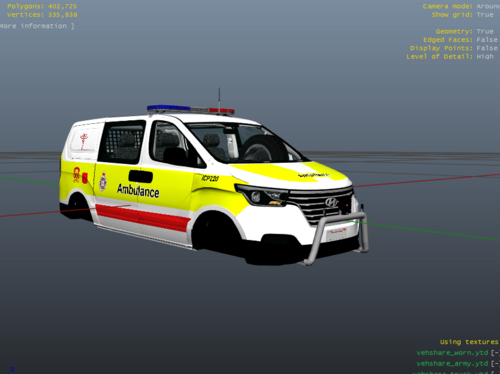 Made a QAS I Load livery, since i saw no one else made one! Still a WIP, but will update the changes in here once done. Feel free to add any suggestions on it. Original Vehicle:

.thumb.jpg.4675ea03c455d7fb28d8584633dfd182.jpg)
