



LimySole1
Members
-
Joined
-
Last visited
Everything posted by LimySole1
-
Ive Played without the mods folder and still had the same issues. I suspect its one of the Plugins but idk what one. Everyone uses the same ones and they don't seem to have any issues
-
No, when i renamed the mods folder everything was deleted from the folder If i rename it in the directory and load the game then what?
-
Crashed again. Idk what the deal is RagePluginHook Crash 1-22.txt When I renamed it, it deleted all my mod files because it created a new folder. Dont really want to do that again
-
How does that work?
-
All this did was delete everything ive done... and created a new "mods" folder...
-
-
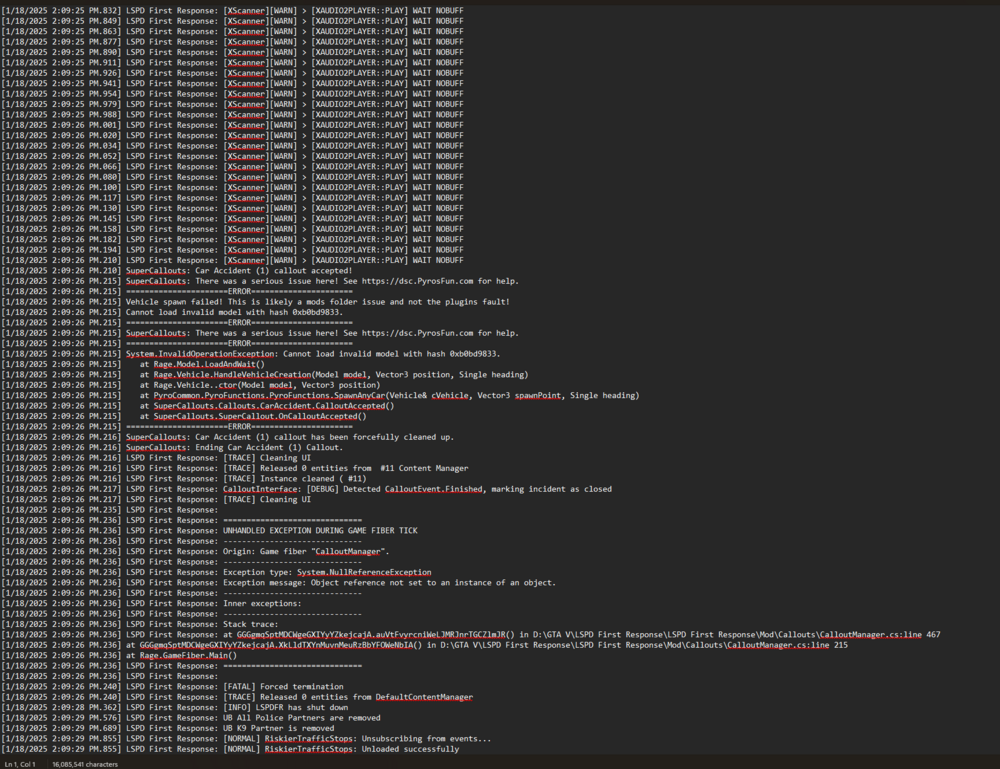
Hopefully this is what you need. I also really appreciate all the help!
-
Do you just need the end of it? It’s long
-
Reinstalled it and its been okay but had another crash just a few minutes ago when I accepted a call for a traffic accident. Wont let me upload the file because it says its too big
-
Any way to fix QuantV dimming all my lights on the emergency vehicles? Everything was looking good until I installed QuantV. Someone said there is a way but didnt really elaborate any
-
I really appreciate it! I wish I knew how to read those logs myself. I removed XScanner because it crashed several times but I want to add it back. Makes a big difference in immersion to me
-
It wont let you go into the GTAV main directory and save the ragepluginhook log? Thats what anyone will want/need to look at. Just find that and save it. Itll look like an ini where you have the gear on it.
-
This is a time the game crashed but the last log i have. I dont get any messages. I hear the mic key up but dont get anything RagePluginHook log 4.txt
-
I did that and everything was working. Initiated a traffic stop and then got a crash. RagePluginHook Crash 1-13-25.txt
-
Was running smooth and then I attached to a call and it crashed. Reloaded all plugins and forced duty and an immediate crash again. RagePluginHook log 4.txt
-
Can you elaborate on this?
-
Anyone know how to get the speech feature to work? Followed all steps and steps he mod is working good but I’m not able to use the speech features. I thinks it’s my pc settings, English is set in my settings but it says 0 mb next to that and something about my mic (SteelSeries arctis nova pro -wired). I’m not sure why I can’t get it to work properly
-
Deleted the custom.ini file and it fixed it. I’m not sure what I changed to cause the issue but I appreciate the help
-
Did all of this and it crashed again. Any other solutions? RagePluginHook 3.txt
-
Is there anything like betterEMS? Or just rock with the standard? When I installed that is when I had the issues. Think everything else will start working again after all that is changed?
-
So I got the same issue I had earlier today. The issue earlier was my grammar police and I fixed that but now its having the same issue. Im not sure what the deal is. Ive also been having an issue where several plugins are not working. Compulite, Stop the Ped, Grammar Police, and Prowler radar. All were working before today. Any help is greatly appreciated! RagePluginHook log 2.txt
-
Man i feel like an idiot. I deleted a key and forgot to put None back... I appreciate it!!
-
lspdfr.dll crashes when I go on duty RagePluginHook log 1-11-24.txt
