Dr Drake Ramory
Members
-
Joined
-
Last visited
Everything posted by Dr Drake Ramory
-
Thank youuuuu very much bro you are the best 💚💚 I used to use Police Smart Radio before is there an alternative for it ? I liked how easy was to check the plate and the person info while Im beside his car so I dont need to get back to my car several times 🥲 Thank you very much for your help !
-
Yes, of course. Here is the RagePluginHook.log The most recent issue I've encountered is that I can see the notification above the minimap when I go on duty, but nothing seems to be working. I've checked all the keys and tried them all, but nothing is responding. I cant stop anyone or talk to people using Stop The Ped menu ( because I cant see it anymore )
-
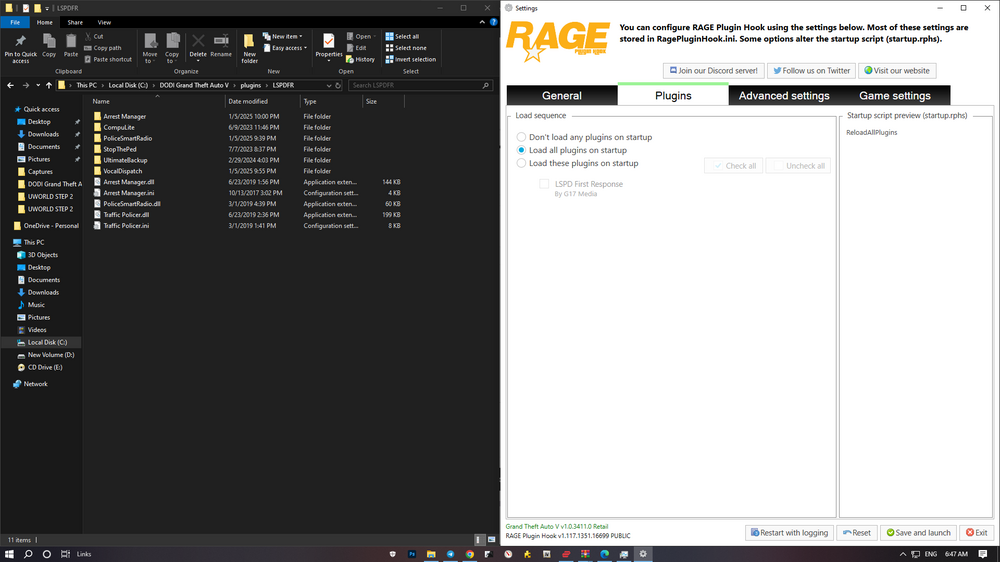
Thank you so much, @Lennyy! I understand your point now. However, I’m having trouble with the plugins (Stop the Ped and Ultimate Backup). They don’t seem to be available in the game anymore. I can’t use them right now like if I didn’t install them. Is there a way to fix this? I’m sorry to bother you, but my main issue is that these plugins aren’t working. I used to receive notifications above the minimap when I went on duty, like "Stop the Ped loaded" and similar messages. However, I’m not getting anything now when I go on duty. Could this be related to my issue? Maybe I need to install some additional files or might have missed something? Thanks for your help !
-
Hello @Lennyy Thank you so much for trying to help me out! I’m sorry, but I didn’t quite understand your point. Are you suggesting that I should redownload LSPDFR using the manual method instead of the auto-installer? Or is there a way to manually install plugins through RPH? (I’m not familiar with this method, so if there’s a video tutorial available, I’d really appreciate it!) Thanks again for your help!
-
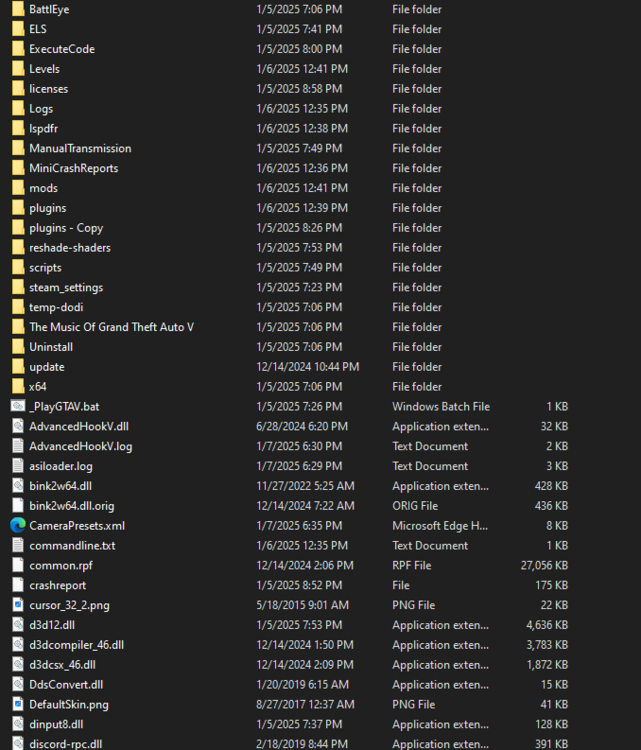
Hi everyone! 👋 I’m sorry to bring up a topic that’s been discussed a lot, but despite trying everything I could find, I still can’t solve my issue. I hope someone here can help me out! Here’s my situation: LSPDFR is working fine — I can start the game and go on duty without issues. Plugins not showing up in Rage Plugin Hook — The plugins I added to the GTA 5/plugins/LSPDFR folder don’t appear in the list. I’ve tried multiple solutions suggested on this website, but unfortunately, none have worked for me. To make things easier to understand, I’ve attached my RagePluginHook.log file, along with two screenshots: One of my game folder. One of the plugins/LSPDFR folder. I’d really appreciate it if someone could point me in the right direction. Thanks in advance for your help! RagePluginHook.log