Yeelim
Members
-
Joined
-
Last visited
Everything posted by Yeelim
-
 A No-Hats + Body Camera would be a great combination. The 9.3 vest with earpiece dont feel right for some reason.
- 947 comments
- 23 reviews
-
Hello LSPDFR team, Im using custom callouts plugins, and I wanted to know if there is a way to disable the 3 built-in callouts. I checked the .ini file, but there seems to be no config for it.
-
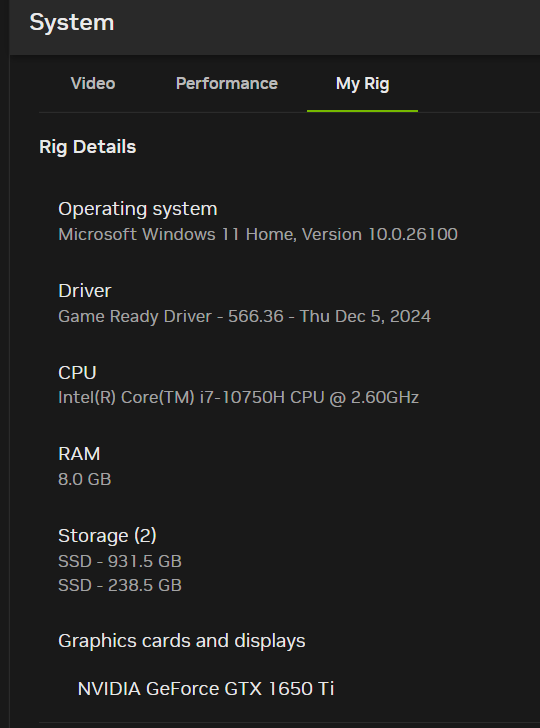
Hello, I'm new to this mod, but I keep encountering issues running it. The details are: Clean new Steam download, with no other mods or plugins, LSPDFR manual installation early today. I was able to load the game with the plugin, create a character and play the mod. After closing the game and returning to it later it now crashes opening the game window. If in the RagePluginHook I check the option "Disable DirectX Hook" the game loads, but the key bind, nor the LSPDFR menu works. I can play the game in story mode using the Steam lunch, but using the RagePluginHook crashes the moment the game window opens. The log file seems to show it fails after "Initializing Direct3D", so I could be missing a dependency, or have an issue with configurations. RagePluginHook.log Log from the first run of the plugin, which worked correctly. RagePluginHook_26122024_175914.log