


ColdwaR
Members
-
Joined
-
Last visited
Everything posted by ColdwaR
-
U can use ur menyoo trainer ingame, just go to main GTA5 game directory, then go to "menyooStuff" folder and find "menyooConfig.ini" file and open with notepad so u can edit it. Once you open the .ini file, look for the [settings] section and find "stop_animation_key = 46" (46 is code for J key) set that to "stop_animation_key = 0" so u disable that option, and save it. I had the same problem and that worked for me.
-
Wow this actually works, seems that the problem for me too was the "Real Traffic AI" mod, and not Scripthook V, everything is back to normal now. U sir are a life saver, much thanks.
-
 This is a great plugin. I noticed a bug when dragging dead person (ped), first when i try to take ped he comes back to life and wants to fight me, and even with the movement itself when dragging is a small bug.
- 743 comments
- 58 reviews
-
-

- 1
-
-
Oh, can u take a look? ScriptHookV.log asiloader.log RagePluginHook.log
-
UPDATE: So apparently all the problems was caused by latest scripthook v (v3788.0 / 1013.34)... When i removed it from main GTA 5 folder, backup units works just fine as they should. Unfortunatly ELS can't work properly without scripthook v, so i guess i have to wait for next update...
-
Hey guys, i have problem with backup units and i don't know how to fix it. So when i call police backup units, EMS or Fire Department, they spawn and they turn right or left and speed up and run from me, even when i spawn them near me with backspace, they again gain speed and drive away and after few seconds couple peds run on foot to my location while thier vehicles stay far away. I use Simple trainer V (v17.8) and Menyo (v2.3.0), Ignore Player, Cop Ignore Player and Never Wanted are disabled. Do someone know how to fix it, i hope i'm not the only one with this kind of problem...?
-
-
-
-
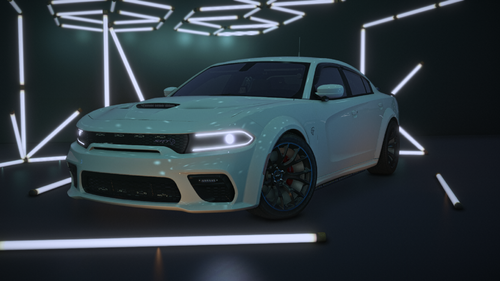 I really like the SRT but the ELS file seems to have some problem, the lights are not exacly where they should be but they float around the car... 🤔
 -
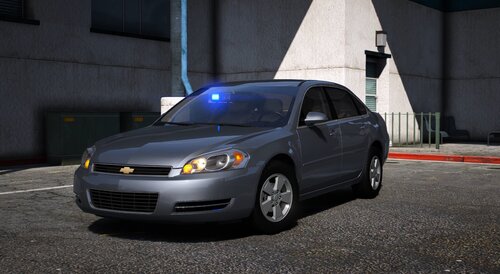 This is a great pack, and i love it Dodge minivan is FIRE 🔥 Best for undercover operations I wish there were just two more small lights around Dodge sign, on the front, but overall it's a great model Keep up the good work...
- 36 comments
- 11 reviews
-
Hello, I have a problem and I would like some help. I installed the "Awesomekills Graphics mod for GTA V" in my LSPDFR game and now my traffic lights are not working properly, when I'm at some distance they work fine but when I get close they stop working and it doesn't show me any lights at all. Does anyone know how to fix it? I would be very grateful.
-
-
 This is one of the best packs I have ever used, i just love it. 2025. and still using it 😎
- 200 comments
- 16 reviews
-
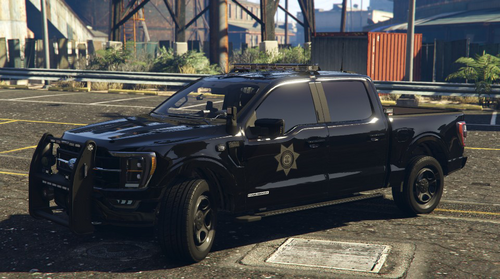 Woah, this is a great vehicle, i like it... I think we all need car pack like this 😎 You sir, did a great job 🫡




