CapnLongBeef
Members
-
Joined
-
Last visited
Everything posted by CapnLongBeef
-
This fixed the problem. Thank you!
-
Yes, using NVE. Both PC's, only one is replacing the patchday28 files using the exact same install method....
-
Still not replacing. Installation on my laptop under patchday28 seems to work. Is there a path to check why it would not be loading on my PC?
-
Just tried, still not replacing.
-
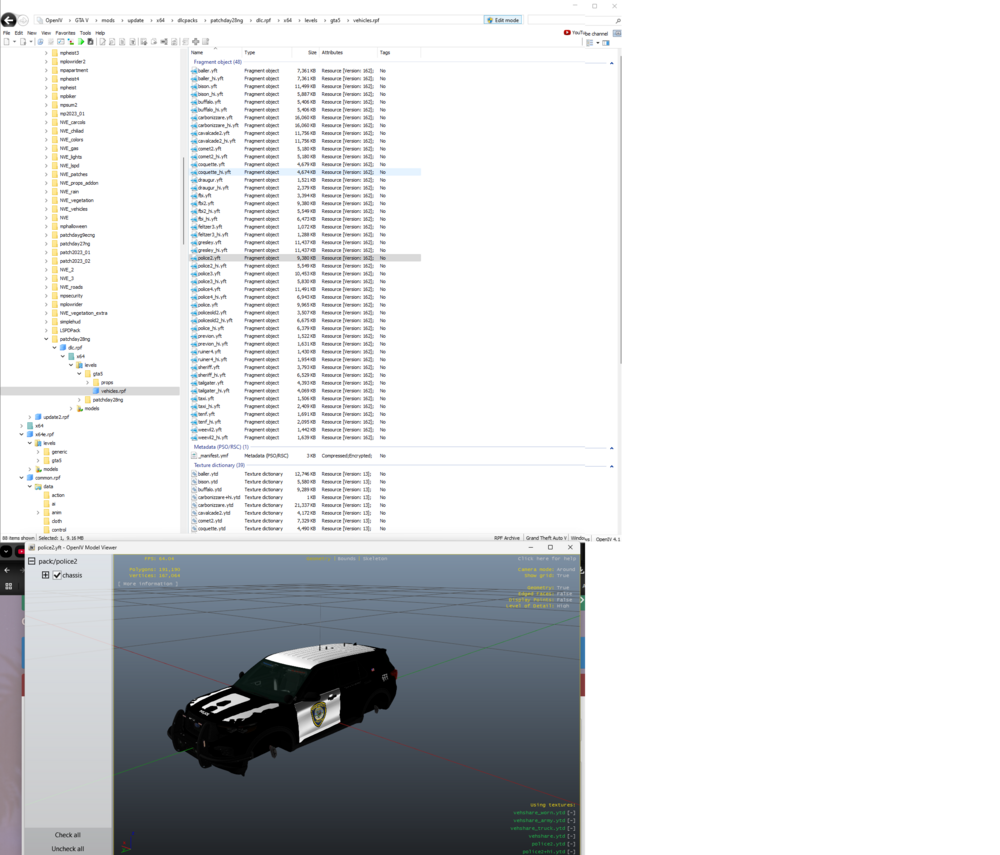
Currently I've tried replacing vehicles per the forum installation instructions and multiple videos online and have had success in the past but with a new recent installation i am unable to replace any vehicles. I am placing the files in the mods>update>x64>dlcpacks>patchday28ng>dlc.rpf>x64>levels>gta5>vehicles.rpf (See bellow) and the vehicles are not replacing the older models. All addon vehicles are spawning properly as well as LSPDFR. Am i missing something?