
Vanillarare
Members
-
Joined
-
Last visited
Everything posted by Vanillarare
-
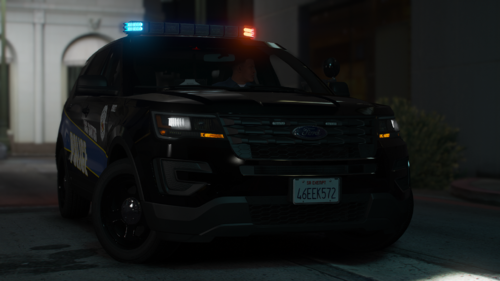 yea I'm getting ready to start the upload now its a large pack I'm pretty sure everybody would enjoy it ay here goes a look at it
 -
its crazy because im currently working on a baltimore city and county police also BCFD which includes the ems and fire department side
-
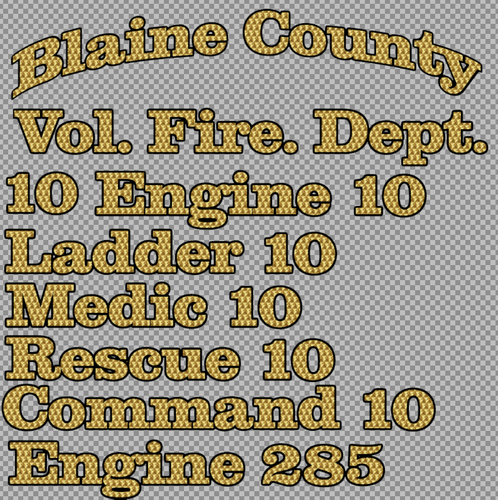 i was looking for this could you make an alphabet and numeric one for it i could handle the rest as far as color and positions
 -
theres 100 percent completion mod that i us you can find it on gta 5 mods
-
absolutely no help that just cracks me up thanks for nothing
-
did you get it to work?
-
yea i wanted to know the same thing great question
-
So I'm trying to find a fix for he police 2 because currently every time i try to spawn my police 2 it causes my game to crash no matter how i try to spawn it whether it be through the lspd garage(I get Stuck in the garage menu) through a trainer (nothing spawns and it says couldn't spawn model game freezes then crashes) or through the rage plugin system (textures start to blur then my game crashes)I already replaced my vehicle's meta with the original also did the same with my handling.meta. But getting to the point is it possible that I can get a list of everywhere that police2 can be found whether it be data files ytds yft's and anything else because i don't even know how this happened if I'm being honest because at first my police 2 was clashing with another police 2 that i had deleted then when i load my game backup it just stops spawning and the police 2 that it was clashing with wasn't the original model so i just replaced with the default model in the x64e I also tried moving my cars throughout different patch days still nothing I'm not sure what the problem is but worst case scenario i don't want to have to delete gta 5 so any help is appreciated
-
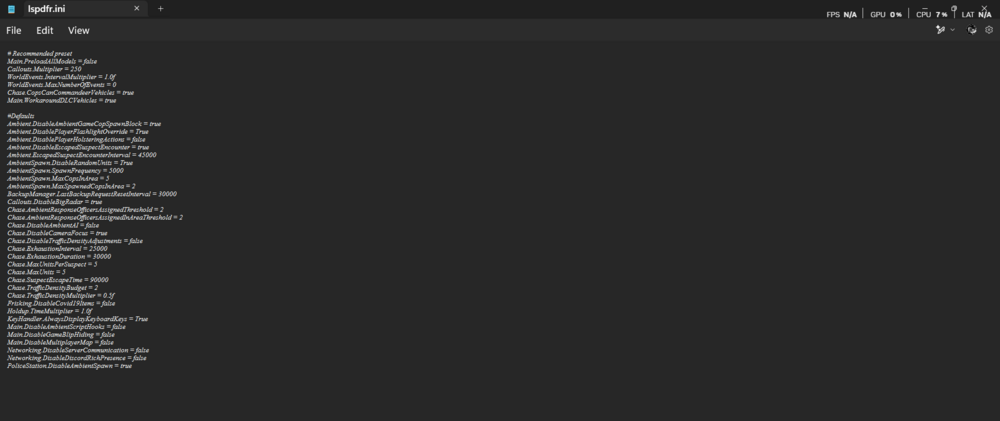
make sure you edited your lspdfr.ini in your open iv got to mods update ->update.rpf-> common-> data and screenshot that for me
-
gameconfig?? just saying so when soupy is able to play that problem wont happen just a tip in your gta 5 main directory can you screen shot the bot where it says x64a x64b x64c etc
-
make sure you have the resource adjuster that makes sure you don't receive any texture loss during gameplay did you install open iv asi
-
screenshot your main directory your plugins folder scripts folder and your lspdfr folder
-
gameconfig https://github.com/pnwparksfan/gameconfig heap adjuster -https://www.gta5-mods.com/tools/heapadjuster packfile limit adjuster -https://www.gta5-mods.com/tools/packfile-limit-adjuster resource adjuster-https://www.gta5-mods.com/tools/resource-adjuster download all of those and just drag and drop those into your gta 5 main directory start up gta 5 and see if it works no way we just said the same thing😂
-
upload your rockstar log you can find it in Documents-> Rockstar Game -> Launcher
-
I do know that without a gameconfig and adding custom vehicles it will crash on the loading screen
-
So the only things you installed were custom vehicles and els? maybe one of your custom vehicles were installed wrong also make sure you have a custom gameconfig
-
also try watching blueline vibes or gaming 4 life lspdfr tutorials they are more recent
-
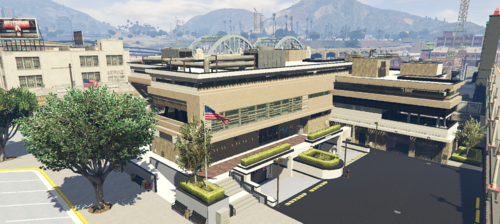 i think all you have to do is frag and drop the ydr file into the mrpd replacement
 -
nope i use this site on a daily and the files I download from this site never come back as malware so maybe it's a false positive
-
if you are talking about your police vehicles you have to remove the police vehicles from the nve vehicles because they are clashing with eachother i had the same problem but I knew that that had to be it the taxi also does that if you replaced it the bus also does if you replaced that whatever patchday you use for your vehicles js look them up in the NVE Vehicles and if it pops up in nve vehicles then delete them remove sheriff and sheriff 2 from nve vehicles im going to make a yt video for that
-
 Custom Questions For Stop The Ped - I might add color to the different categories later but for right now this is great enough These Questions add more Immersion to your LSPDFR Allowing you to get a feel of what's going on And Yes Ofc More Questions are Coming Be on the lookout - Questions Include Arrest Dialogue Miranda Rights Vehicle Questions Press Charges - Which is my favorite because I haven't seen nobody with it and I thought it would add immersion to those fights And More
 -
you could js simply replace a vehicle that you find in traffic for example the Gresley and then go to vehicles.meta and find the Gresley and change who you want driving that vehicle if you want a paramedic to drive it you would use " s_m_m_paramedic01 "
-
its also a mod where a police scannere replaces one of the radio stations but that's up to you
-
remove all the police vehicles from nve in "NVE Vehicles.rpf and i use patch day 28 to install my police vehicles
-
now in your mod folder for openiv make sure you have update, x64 , and common.rpf in order to install the dlc you need to go to update -> x64-> dlcpacks drag and drop the sheriffpack or sheriff pack blue into the dlc pack folder Always rememeber those readme.txt are gonna be your bestfriend this came from the read me file for the sheriff pack 1. Drag the SheriffPack AND/OR SheriffPackBlue folders into your mods/update/x64/dlcpacks folder. 2. Navigate to mods/update/update.rpf/common/data and edit dlclist.xml. 3. Copy this below into your dlclist.xml file, save and close. <Item>dlcpacks:/SheriffPack/</Item> <Item>dlcpacks:/SheriffPackBlue/</Item> 4. Copy ELS files into your ELS/pack_default folder. feel free to let me know if you need anymore help