


Macca77854
Members
-
Joined
-
Last visited
Everything posted by Macca77854
-
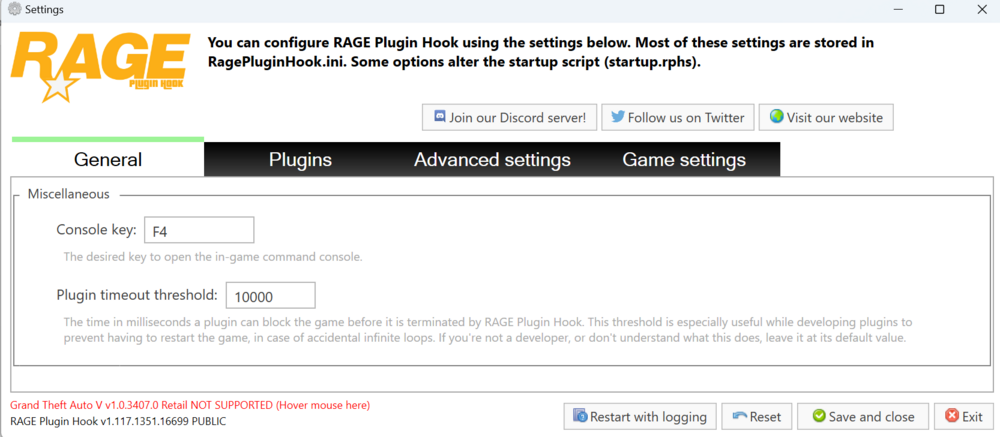
I have been unable to launch the Rage.exe as it tells me that GTA V Retail is "not supported" I've downloaded latest LSPDFR but still not working. Can anyone help?
-
I have a few different callout plug ins loaded and all work well, right up until I catch a perp. I hold my weapon at them and nothing happens. If I have backup, they then hold up their hands and the other guys arrest them. The only way I can do it, is using stoptheped which then shows as "person deceased" on the crime report. Can someone help? I've already tried changing the key bindings.
-
It was painful but I am in. A bit of delay with my keyboard, though. Having to hit a button a few times before it works, then it's fine. Weird.
-
Now I do yes. But when I try to load the plug in, I get an error telling me there's an issue with the assembly path RagePluginHook.log
-
How would I check that? I installed the mod as one thing. Weird that traffic stop would work while in a car but not stop the ped? Appreciate the help, though. How would I check that? I installed the mod as one thing. Weird that traffic stop would work while in a car but not stop the ped? Appreciate the help, though.
-
I need help. This is my first foray in to modding and really want it to work. I'm in, i'm on duty but not working as expected. When in a car I can initiate a traffic stop and search computer but when on foot, I can't stop a ped or frisk etc etc. I have a ps4 controller and have gone through all the HidHide process (two controllers were showing on my win+r device list, now it's just showing Xbox 360 controller). But no improvement. Can someone help?
