


zippy777
Members
-
Joined
-
Last visited
Everything posted by zippy777
-
 Hello, i have huge fps drops when using this mod, from arround 65 fps I barely have 50 fps. Is there any solution?
- 633 comments
- 57 reviews
-
Hello, i have installed a mod but i dont really know how to use it. It is mod that adds livery for other modded Ambulance. I have dropped ambulance2.ytd to mod files in OpenIV but i dont really know how to spawn it in game. Please help
-
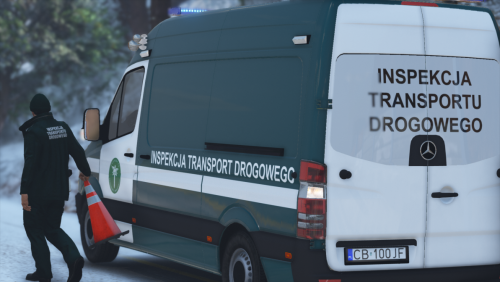 W jaki sposób się go spawnuje w grze?
 -
Problem solved
-
Hello, I have huge problem, my LSPDFR plugin always crash when im going on duty. Everything worked fine till i installed NVE. First time launch was normal, lspdfr loaded good, played few mins on duty without any problems. Then i changed few NVE settings and my LSPDFR crashed. After this my LSPDFR plugin is crashing all the time. RPH log below. Please answer this topic, ❤️ EDIT: I tried to install new lspdfr files, uninstalled nve but i figured that it still crashing so its probably not nve problem RagePluginHook.log
