



Devan H
Members
-
Joined
-
Last visited
Everything posted by Devan H
-
 Sadly this is a Non-ELS pack and i doubt it ever will be compatible this many years later haha
- 501 comments
- 104 reviews
-
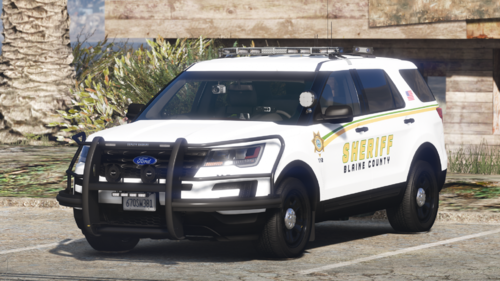 Same issue here, I used the addon version only but it replaces the police slot with the 11cvpi and none of the XMLs or files in vehicle.meta are called police. I started a topic out of pure curiosity of what can cause this.
- 65 comments
- 8 reviews
-
This is the pack I was referring to in the post, apologies I thought about linking the pack but than just didn't. Oops. Just to eliminate the obvious issues I did download the Addon version and not the replacement version as I already have the cars I want in their respective slots. Also, I did notice the LAPD replace car in the police slot and the sheriff car in the DLC that overrides it are both crown vics. However the replace car is named "police" in game and the sheriff DLC car is 11cvp. I would link a video but I am in the process for reinstalling lspdfr for a fresh game. I've also read thru the comments on this pack and it seems at least one other person had the same issue. Just not sure how it can happen without any files recognized as police in game.
-
Hello friends, I'm sure this topic has been discussed before, I have look for hours and cannot find the information I am trying to find. Some of the DLC packs I add into the game tend to replace some (or all) replacement files in game. For example, I have all LAPD replacement cars for police and fbi slots. But, later on I add a new sheriff pack as a standalone DLC, suddenly I have a 2011 Crown Vic Sheriff car in my police slot. When I check in the patchday that I use, the ytd files still show the LAPD car that I want to show in the police slot, meaning somehow in game the DLC sheriff car is overriding the LAPD replacement file. I also checked within the DLC pack to make sure the Sheriff crown vic isn't named police. It is not, its named 11cvp. I am sure the DLCs giving these "issues" are designed that way by the creators of the mod, but how can I change that where it won't override the replacement files? I also understand I can just steer clear of those DLCs, but call it the mod bug but I'd love to know if its something I have to live with?, files I need to edit?, or even the order I mod. Maybe I need to do all the DLC packs before doing the replacement cars? Thanks in advance for your thoughts and thank you for taking the time to read this! P.S. Feel free to roast me if this is obvious haha, I'm less than a year into LSPDFR, but I have as much fun installing mods as I do playing!
-
 Configuration settings for a 2560x1080? My widescreen is causing the HUD to overlap my map.
- 560 comments
- 28 reviews

