




Poncho's Development
Members
-
Joined
-
Last visited
Everything posted by Poncho's Development
-
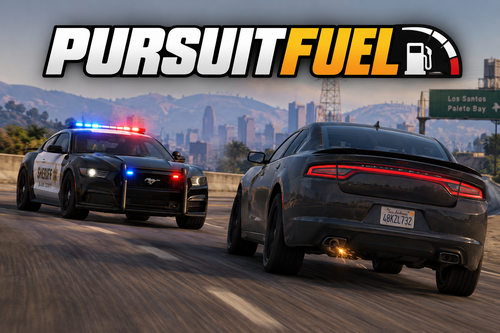 Showcase DescriptionHey! This mod is a complete remake from scratch of an old mod I made called AIFuel. Basically, it gives suspect vehicles fuel when in a pursuit so they have another way of ending. Back then you either had to wait for the suspect to crash their vehicle, PIT them or use other mods that can get them to stop. Well now they have fuel. The plugin comes with a full ini configuration file so you can change pretty much anything you could think of. The reason this is an entirely new mod is because AIFuel was, in my opinion, terrible and has been discontinued for over a year. The post will also likely be taken down after I release this plugin. That's about it. Finally add fuel to the suspect's car and keep following them until they run out or give up. How it worksWhen a pursuit starts, the suspect's vehicle is automatically assigned an amount of fuel based on the config and it drops as configurated over time. There is no visual aid like notifications or text. Enabling debugging will show updates in the RPH Console, but otherwise you just have to wait and the suspect's vehicle will start struggling when there is 5% fuel left. InstallationThe zip file contains a Documentation.html that you can open in your browser. It contains all the information you need on downloading and configuring this plugin, though it's already well organized in folders and you can just drag and drop it in your GTAV. CompatibilityPursuitFuel uses RagePluginHook's built-in fuel system instead of creating its own values. I don't know of any mods that give NPC vehicles fuel, but if that exists there may be compatibility issues. Please let me know. GTA V Enhanced: Not tested and I don't plan on it. Performance: The mod currently looks for an active pursuit every 200ms by default. I haven't had any performance issues, but note that it might cause problems on lower-end hardware. I'll push an update some time soon when I find a better way of finding active pursuits. SupportJust comment here and send me your RPH log. Please set Debug to True and reload the config before sending me your log otherwise it will be useless.
 -
 It's working fine for me on the latest game version. I haven't tried to load it on startup, but loading the plugin with the F4 console when in-game works
- 26 comments
- 2 reviews
-
Could you set the config's debug level to 2 and attach your RPH crash log please?
- 26 comments
- 2 reviews
-
-
-
Did you load the plugin? If so, are there any errors or do the commands like "bodybag" at least register?
- 26 comments
- 2 reviews
-
-
-
They don't recognize it because the ped becomes invisible. You'll have to take them out of the bag first (I'm still looking for a way to fix it)
- 26 comments
- 2 reviews
-
-

- 2
-
-
You're missing NewtonsoftJson.dll (for translation). I'm about to release a new version so I'll include it in the download. For now I recommend you use v1.0.2
- 26 comments
- 2 reviews
-
-
-
Sure Are you sure you installed it right? Also, when does it crash? At startup, loading the menu, or when you use it?
- 26 comments
- 2 reviews
-
-

- 1
-
-
Sure. I'll work on it during the weekend Edit: I haven't been able to find a way to add it to STP🙁. I added my own menu in v1.0.1 and added translation in v1.0.2. Thanks for the suggestions🙂 I'm pretty sure a fivem script for this already exists but I'll work on it Edit: I recommend you use this bodybag script: https://github.com/btngaming/rrp_bodybag?tab=readme-ov-file
- 26 comments
- 2 reviews
-
-
- 1
-
-
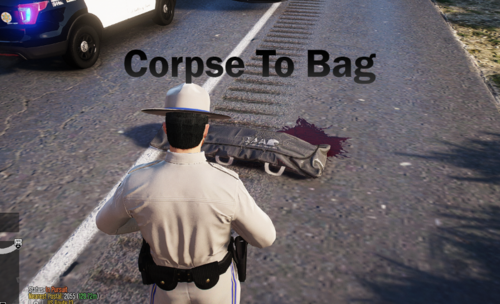
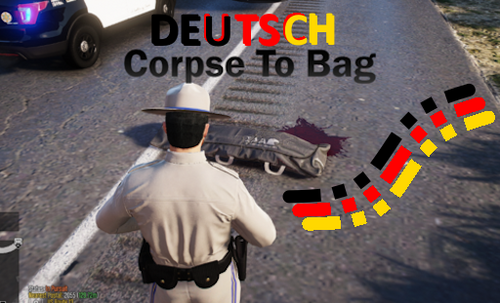
Discord Server / Showcase (Only includes v1.0.0 content) Hey!🙂 I noticed there are many posts about bodybags, but no plugins to place corpses inside one so I decided to make Corpse To Bag. This plugin aims to make your crime scenes more realistic by giving you the ability to put corpses in bodybags using a menu or commands in the RPH console. You can watch the showcase below for more information on how it works. You can also hide the corpse while waiting for coroners to arrive! (New with version 1.0.5) Customization The configuration file has the following: Bodybag prop name (The name of the prop used) Corpse detection range (The range in meters to find a body) Use a key for the menu? (If not, use the command OpenBodybagMenu) Menu Key (a key if the option above is set to true) Language (Which language to use) Log Level (Level 1 is for normal logs. Level 2 logs everything, used for debugging. Installation The download comes with a Documentation.html file containing all the information you need to configure and install the plugin or you can watch GAMING 4 LIFE's guide in the comments. Showcase Video (Only includes v1.0.0 content): Translating the plugin To clarify, you do not need my permission to release a translation file for my plugin. If you want me to add it to the folder so others don't have to download another file, message me here instead of asking in the comments. Virus Scan Pending explanation The "Virus Scan Pending" message is from an older version of the plugin (1.0.2), all other versions are clean. I'm not sure why it didn't pass the scan because it did when I put it in Virus Total. I ran out of ideas but I love working on this plugin so please give me suggestions😂 Feel free to leave an honest review.
- 26 comments
- 2 reviews
-
-
-
- 11
-
-
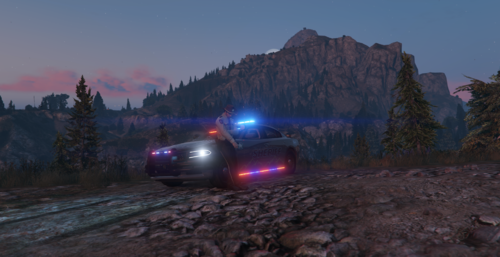 I've been using this car for about 2 years and I love it! Keep up the good work
 -
Ok thank you
-
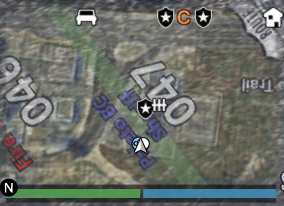
Hey! I just realized my stamina bar is hidden when using RPH and was wondering how to show it? I tried to find a way for about an hour and couldn't find anything. Game version: 3351 Menus: Menyoo and Simple Trainer Plugins: Axon Signal BackWeapon ClearTheWayV DamageTrackingFramework EUP Menu KTFDO LSPD First Response Outfit Toggler Restrain The Deceased Seatbelt Spotlight StickyWheels


.thumb.png.d19a525b1da2a3e0c88776b7d31819a4.png)
