bravozero
Members
-
Joined
-
Last visited
Everything posted by bravozero
-
I dunno if this is the same as what the OP is suggesting, but here's this... I managed to figure out how to change what the AI has, but not the player. Go to (mods)/common.rpf/data/ai/loadouts.meta in OpenIV Drag the .meta file to the desktop, open the .meta file in Notepad, search for the ped you want to modify, in this case I wanted all cops to have the Combat Pistol. Changed the respected fields, saved and moved the file back into the directory. Now every cop I encounter has a Combat Pistol. HOWEVER, this will not change what the player has by default in LSPDFR. I always end up spawning with the standard Pistol.
-
-
-
Tried it, still crashed. However, I separated police and police 3 as separate "items" and it finally loaded. Nonetheless, as I walked around LS, low and behold an LSPD Buffalo drove past me. So I don't think modifying the dispatch.meta makes a difference. I'm not just looking for the cars not to show up during calls or pursuits, but I also want them gone from roaming the city as well. Hmm....
-
Not that I'm aware of. No custom vehicles, all vanilla. I have a bunch of mods that seem to get along with each other, haven't had any game crashes.
-
Ah... Had my hopes up to try this out. Unfortunately it crashes the game upon loading for whatever reason. If I revert back to either the default or your first modified dispatch.meta then it loads. Hmm...
-
Ok, another inquiry. Since I can't find a SAHP livery for my vanilla Interceptor, I've done the mod that adds two new SAHP cars that I manually spawn. So I'm sticking with the SAHP Buffalo for now and use the unmarked Cruiser at other times. Now... since I'm all about wanting to drive something unique, I want to instead have the LSPD Cruiser and Interceptor driving around the city, and leave the Buffalo out, so now I want to take POLICE2 out of circulation. Still possible, @NefariousBonne?
-
I am trying to permanently move the police3 (Interceptor) as a SAHP vehicle and I'm using the vanilla vehicle, not Caine's due to some modeling issues. However, I cannot find any legit skins or liveries for the vanilla Interceptor as a SAHP vehicle. Can someone either point me in the right direction to find one, or better yet, can someone make one? I'd appreciate it!
-
You rock, thanks dude. I'll give your file a shot.
-
Is there a way to prevent the AI from using or spawning Police3 (the Interceptor)? I want to use it for both Sheriff and Highway patrol skins but if I do that then the normal LSPD units will spawn the car with those skins as well. I just want the AI to use the Stainer and Buffalo. Yes I could use Caine's Interceptor model but I'm currently running into an issue with it right now so I cannot use it.
-
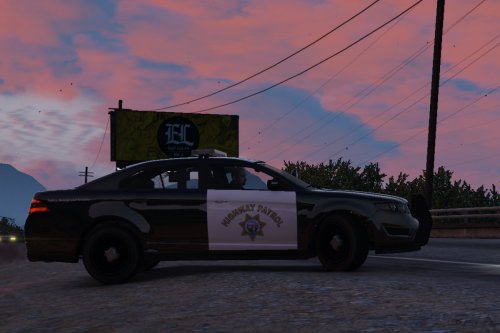 Finally, I use the Interceptor more than any other vehicle and I'm glad to finally be able to use one that I can have custom skins with. HOWEVER, I did notice an issue. I have a custom Interceptor saved in the trainer that is all modified with in-game custom components to give it a unique look and have performance mods, a "true" Interceptor. I also have custom wheels on the car as well. The first picture is how my vanilla custom Interceptor looks, the second is Caine's with my custom mods as well. As you can see, it looks like the wheels have been pushed inward on the model. The car sits at the same height in both pics, but you can see Caine's model the wheels sit inside the car more. At first I thought the brake calipers had been moved, but it does look like the wheels are off alignment. Maybe this can be addressed in the future? Thanks.
- 27 comments
- 15 reviews
-
-
 Yea let me try the updated one again and see if it works. If it crashes I'll PM you.
- 342 comments
- 49 reviews
-
Let me clarify... the plugin loads, but when I hit the keys to enable a search or retrieve cruiser trunk items, then it crashes.
- 342 comments
- 49 reviews
-
Yea with 0.22 it crashes. No biggie, love the mod so I'll patiently wait for it to update.
- 342 comments
- 49 reviews
-
Quick question... I've decided for now that I will be using the Unmarked Stainer (police4) as my primary vehicle in the game but during pursuits it's slow as hell just like the regular marked Stainer, the Buffalo and Interceptor can keep up no problem. I went through and found an editor for the handling.meta files and tried to find the handling data for police4, nowhere to be found. I thought maybe it's in one of the DLC packs but police4 was part of the original release, not a DLC car. Would it be safe to assume that since the marked and unmarked version are essentially the same car that they both share the "police" handling data, instead of two separate sets of data?
-
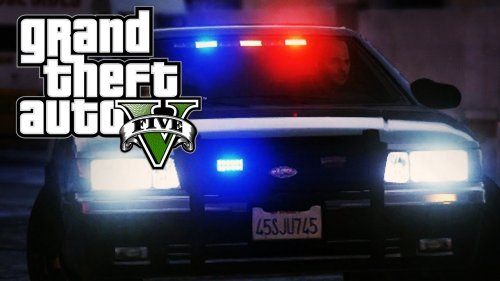 If I may make a suggestion as someone who drives a real police vehicle everyday. I've noticed a lot of mods for both LCPDFR and now this one for LSPDFR... the "headlight strobe" effect is way over exaggerated. If the vehicle has tiny white strobes, you'll see the light reflection no more than about 5 feet away and it's not that much light. If it's a headlight "wig wag", then the only light reflection would be that of the headlights, nothing more. If the above video is true of the mod, then that is WAY too much light for a strobe on an emergency vehicle. Again, not trying to criticize, just giving my two cents from real experience.
- 44 comments
- 11 reviews
-
As stated, I would love to see an unmarked Vapid Interceptor. Nothing fancy, just the same Interceptor but with inner lights instead of a lightbar.
-
I recently downloaded and installed an enhanced corona/lighting mod and it's great. Had to figure out how to prevent the indicators from lighting up all the time but other than that no problems. I do have a question. Anyone else that has one of these lighting enhancements try this. The FIB Buffalo has a red and blue LED light on the front grille, but when the car is on they both stay lit instead of strobing when the emergency equipment is activated, almost like they were programmed as running lights. The car is unmodified. It's annoying because I prefer to take the unmarked Buffalo out instead of the unmarked Cruiser since it's faster, but after I found this out I don't take it anymore. Can anyone else replicate this? And if so is there a fix?
-
 I agree, the Mastercom B is my favorite siren. If there was a way to add some environmental reverb to the sirens to make it more "real" I would download it in a heartbeat.
- 16 comments
- 1 review
-
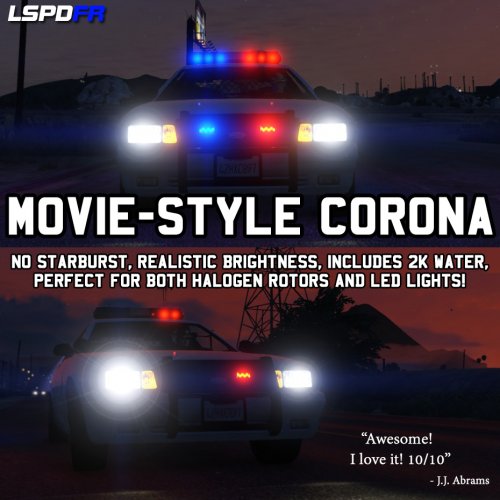 You need to find and download the enhanced LED mod for the Stainer cruisers, they will convert the light blue/orange lighting to the red/blue like the other cruisers.
- 2 comments
- 1 review
-
 Has anyone found a solution for the indicators always on even when parked and off? It's really annoying.
- 246 comments
- 40 reviews
-
You both are lifesavers, did exactly as you guys mentioned and it FINALLY friggin works. Thanks a bunch.
-
So if I understand you correctly... Any file I wish to modify in OpenIV, I need to make a copy of said file to the "mods" folder and only modify that file in OpenIV, not the original root folders, correct?
-
I finally got LSPDFR to work and started doing some basic modding, like the enhanced lighting, sirens, uniforms, etc. However, every time I launch the game, it keeps downloading an "update" and when the game opens, none of my changes took effect. My head is about to burst trying to figure this out. Suggestions? Thanks.